The Advantage
The report identified the Whiteboard-to-Collection pipeline as Virtu's strongest competitive asset and the only platform bridge from creative ideation directly to product management.
Executive summary finding
Fashion Workflow

This work sat inside the fashion and retail product-development space, where creative direction has to move through merchandising, product planning, and downstream execution.
I was auditing Virtu's AI Whiteboard to understand whether the product was actually supporting that end-to-end workflow, or whether it was behaving like a more generic AI canvas.
The report's central finding was that Virtu has one asset no competitor matches: the Whiteboard-to-Collection pipeline, connecting creative ideation directly to product management. At the same time, the report found that AI integration, canvas UX, and visual polish were significantly behind competitors.
The report identified the Whiteboard-to-Collection pipeline as Virtu's strongest competitive asset and the only platform bridge from creative ideation directly to product management.
The report marked the chat-only AI interaction pattern as the single most critical gap because it prevented the canvas-AI integration that would make the whiteboard paradigm strategically stronger.
The recommendations were to fix the foundation first, close competitive gaps in AI integration, and then extend Virtu's pipeline and fashion-domain advantages into capabilities competitors could not match.
Virtu looked like every other AI creative tool. A chat panel, a canvas, image generation. The question was whether it could support the full fashion product development workflow, or whether it was just another generic AI surface.
I structured the audit around the fashion whiteboarding journey, seven jobs that move from ideation to execution:
That framing turned a UI review into a workflow strategy assessment.
Every finding was anchored to four representative roles spanning the fashion product development workflow.
The fashion product-development workflow is already fragmented. Industry data made the stakes clear:
At the same time, the category was moving fast. Flora raised $42M Series A with Nike and Levi's as clients. Weavy was acquired by Figma for $200M+. Centric launched a visual whiteboard with PLM integration. Open-source tools were creating pricing pressure from below.
Category tension
Virtu had a 12 to 18 month window to define a defensible position before the category matured around stronger defaults.
After benchmarking Virtu against Flora.ai and Weavy.ai across the full workflow, the core insight was clear. Flora was stronger at AI orchestration. Weavy was stronger at deterministic editing. But neither extended creative work into the operational layer of fashion product development.
Virtu had one asset no competitor could match: the Whiteboard-to-Collection pipeline.
In a category of tools that end at the output, Virtu was the only platform connecting ideation directly to collections, status tracking, team assignments, and product-management structure. That was its moat.
| Capability | Flora | Weavy | Virtu |
|---|---|---|---|
| Fashion-specific domain structure | ✕ | ✕ | ✓ |
| Merchandising & collection logic | ✕ | ✕ | ✓ |
| Downstream workflow integration | ✕ | ✕ | ✓ |
| Visible AI orchestration | ✓ | ✕ | ✕ |
| Deterministic / parameterized control | ✕ | ✓ | ✕ |
| Multi-model selection | ✓ | ✓ | ✕ |
The insight was not that Virtu won everywhere. It was that the place where it won mattered more than the places where it lost. The problem was that the product experience kept burying its differentiator under friction.
The platform had a strong strategic position, but the current experience made the journey harder than it needed to be.
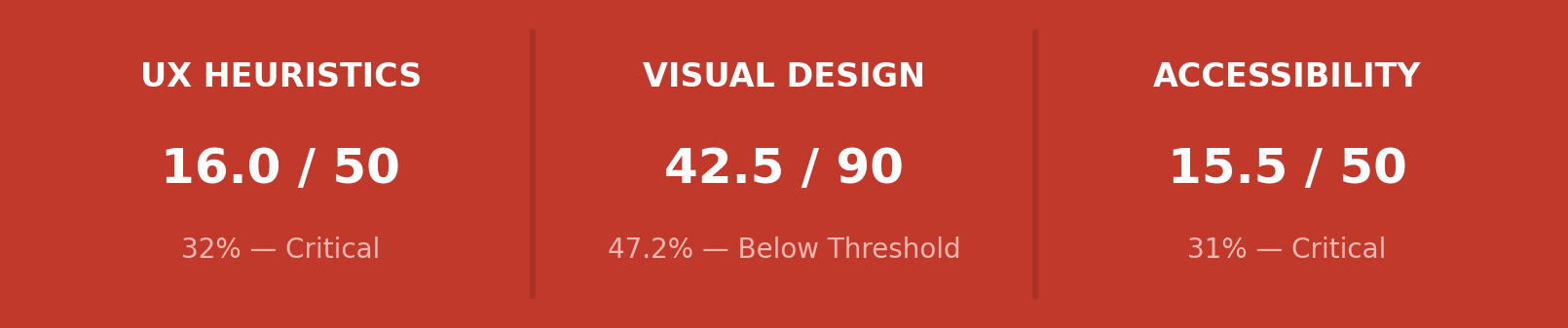
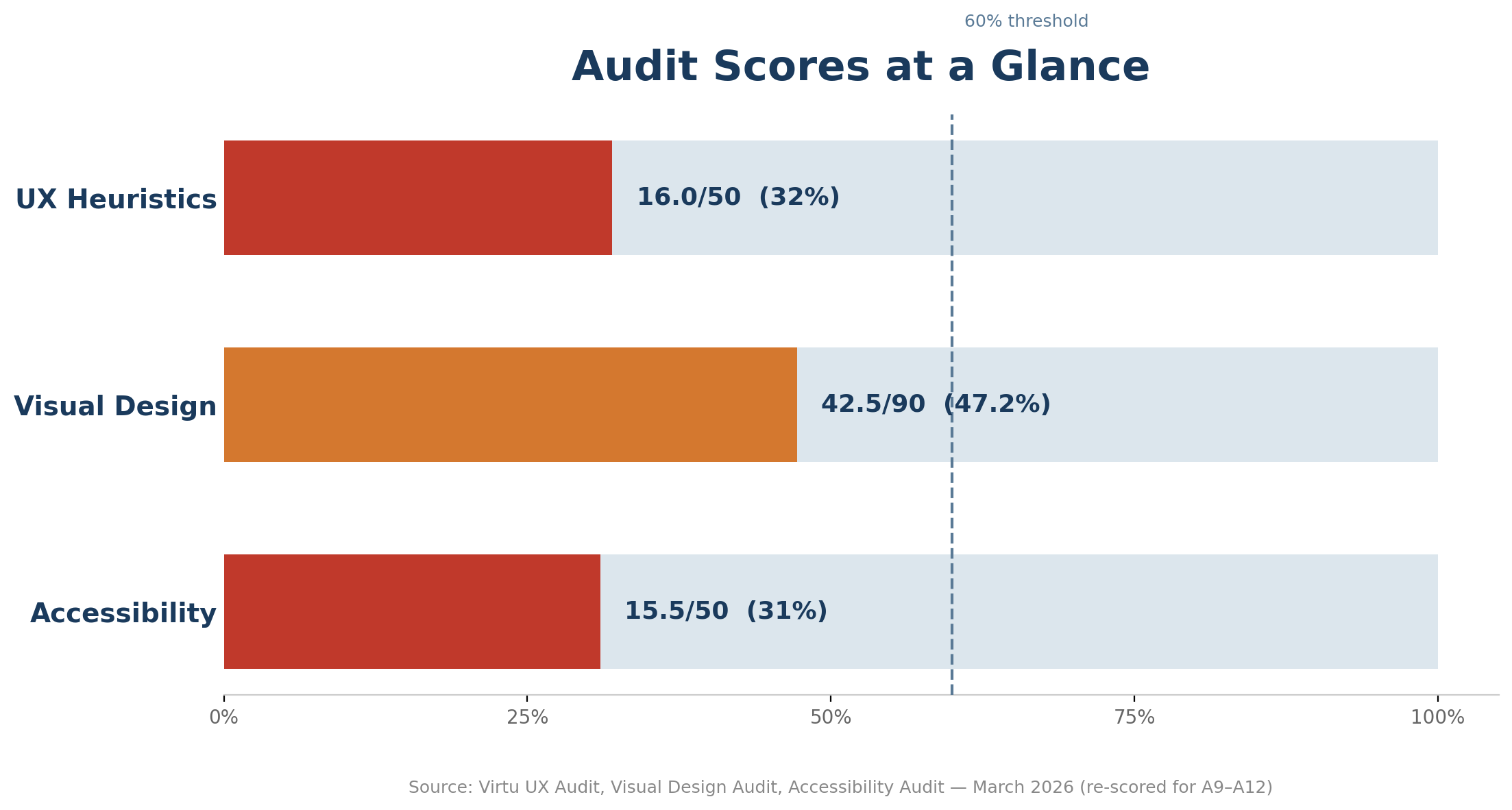
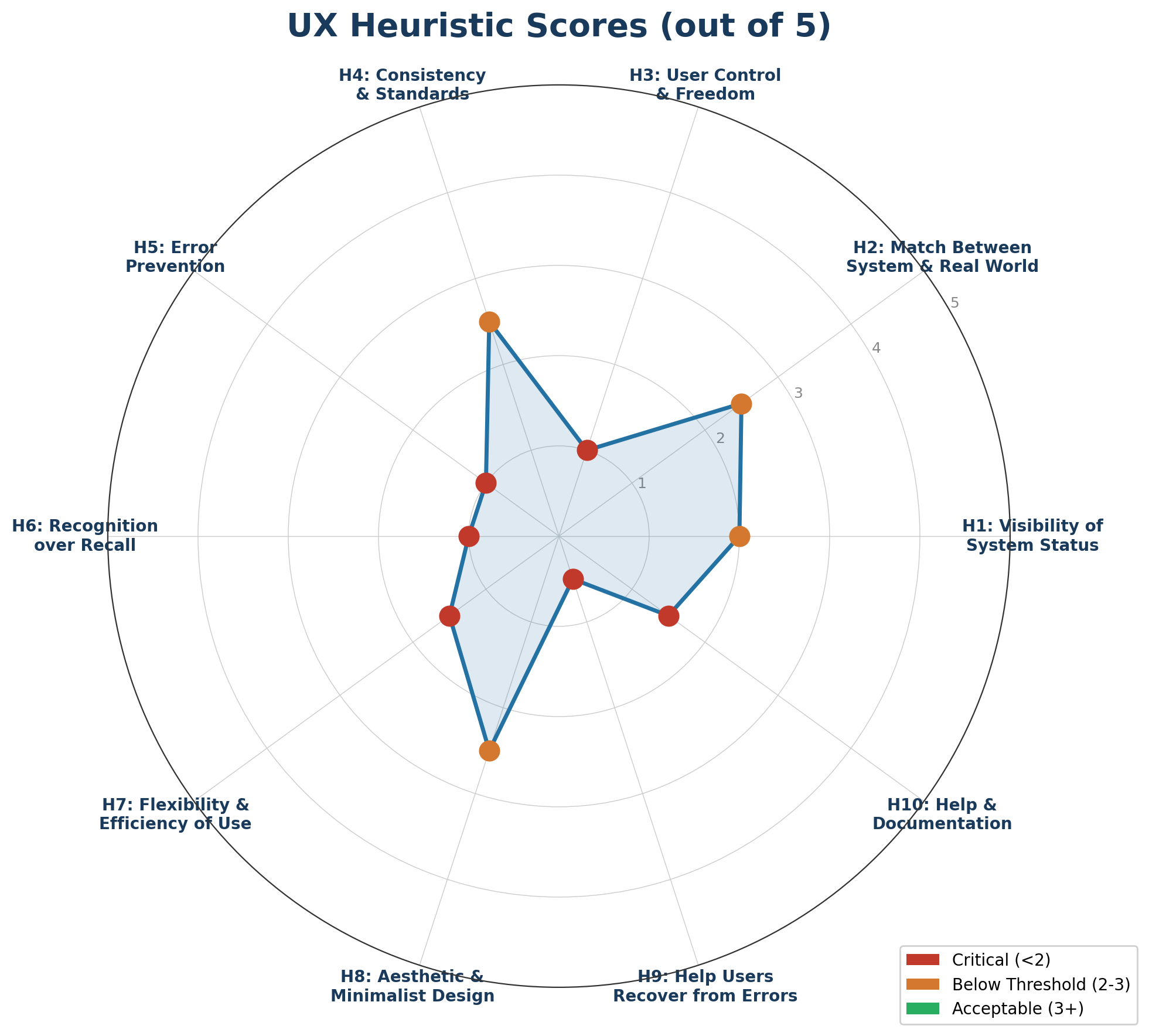
Methodology. Three audits, each scored on a 1 to 5 scale per criterion. The 60% threshold represents the minimum acceptable score for a production-ready product, referenced from Nielsen Norman Group's severity rating methodology.
Source: Nielsen Norman Group, W3C WCAG 2.1 AA, NNG Severity Ratings
When mapped against the seven jobs in the fashion whiteboarding journey, the pattern became specific:
| 01 | Trend analysis | Chat only, no visual canvas |
| 02 | Palette generation | Returned hex text, not swatches |
| 03 | Image generation | Quality OK, but black box |
| 04 | Variant creation | Manual, one at a time |
| 05 | 3D generation | Promised, not delivered |
| 06 | Video & animation | Missing entirely |
| 07 | Merchandising & pipeline | Only platform with this depth |
Six of seven jobs had friction or gaps. The seventh was where Virtu became genuinely different. The whiteboard was behaving like a set of partially connected capabilities, not yet a strong creative system.
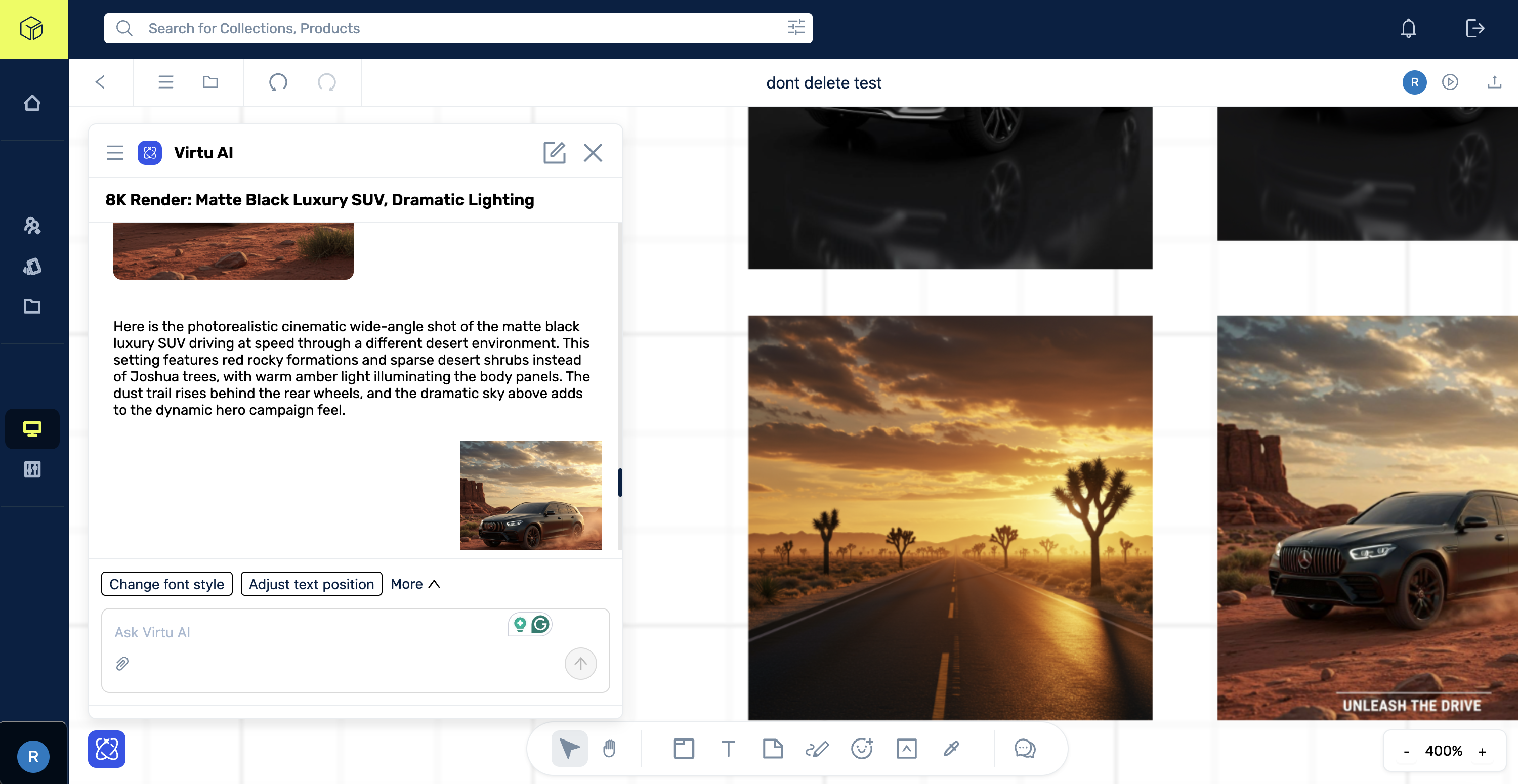
Among all the findings, one issue sat at the center: A1, the chat-only AI interaction. Virtu's AI lived in a separate chat panel. Users could not select canvas elements as input or work with AI in the same spatial environment where creative activity lived.
A1: AI chat panel separated from canvas. Context stays trapped in text.
A whiteboard should externalize thought. Virtu kept re-internalizing it.
Audit Findings
A2
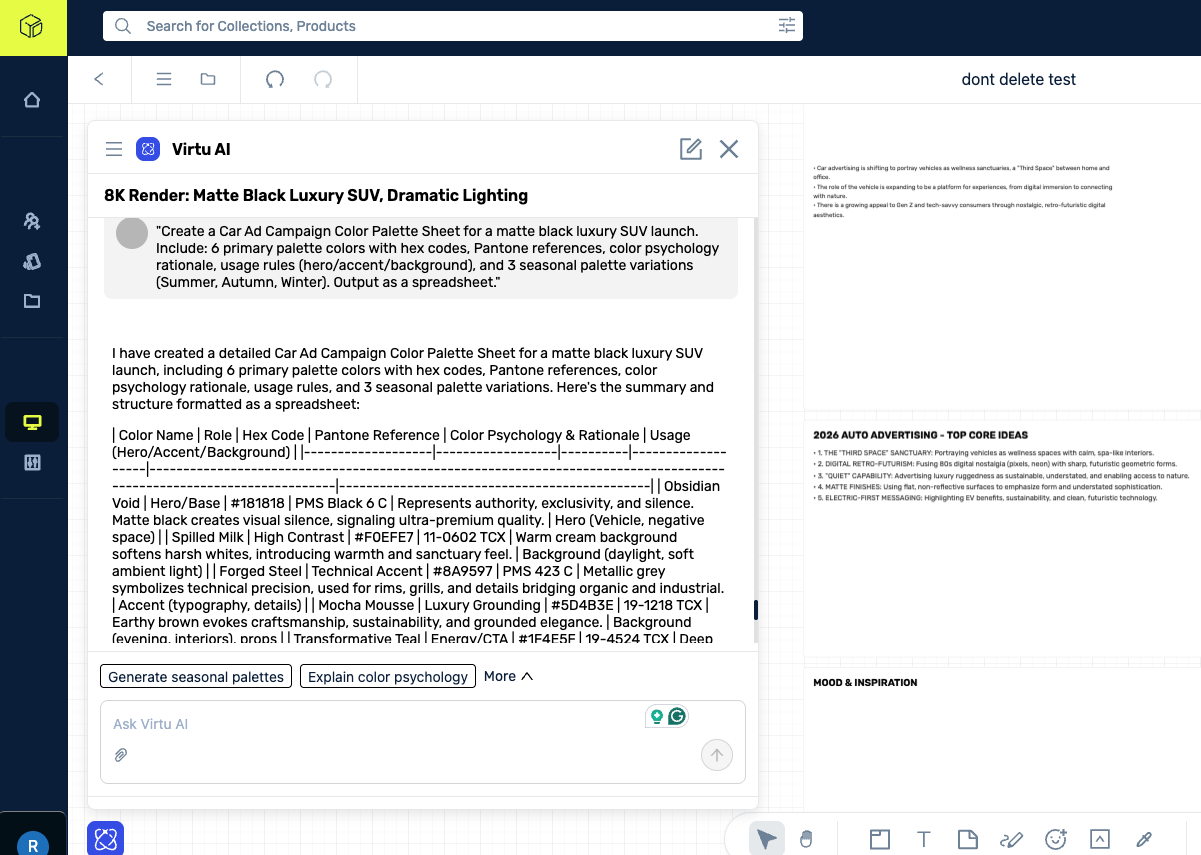
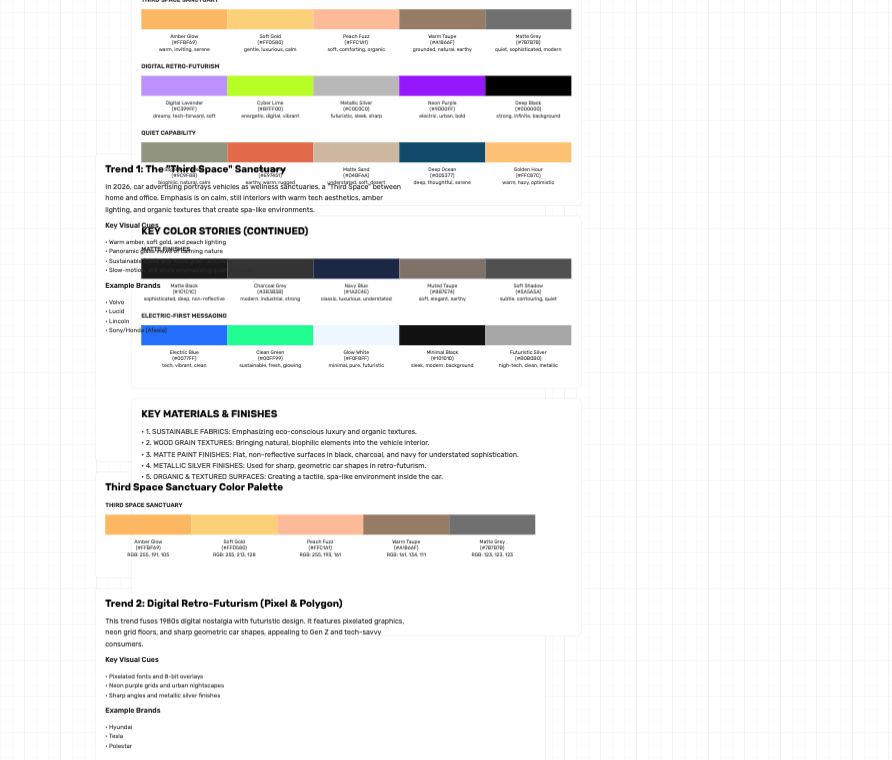
Plain Text AI Outputs for Visual Content
Color palettes render as hex code strings instead of visual swatches. Trend reports appear as undifferentiated text blocks. Creative professionals need visual outputs in a visual workspace.
Maya: Gets text blocks instead of actionable visual content. Lina: Cannot extract structured data from plain text AI responses.
A3
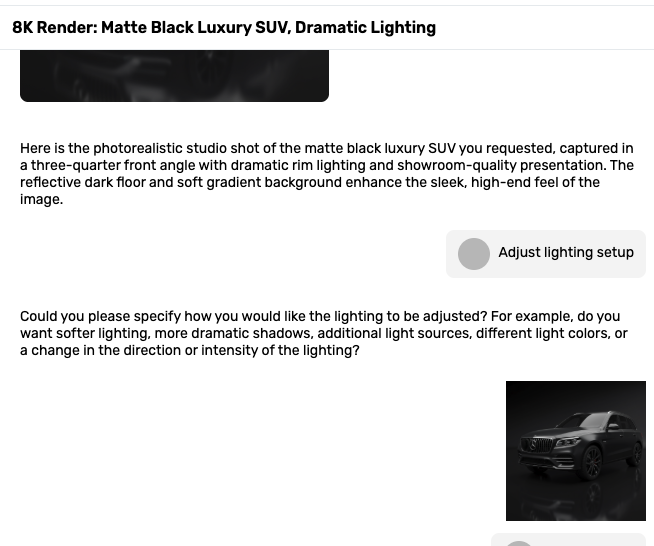
Dead-End Suggestive Prompts
Suggestive text prompts require additional detailed input after clicking. The interaction pattern promises quick action but delivers a dead-end that requires more manual input.
All personas: Increases cognitive load instead of reducing it. Particularly affects Raj and Daniel who have moderate/low design tool comfort.
A4
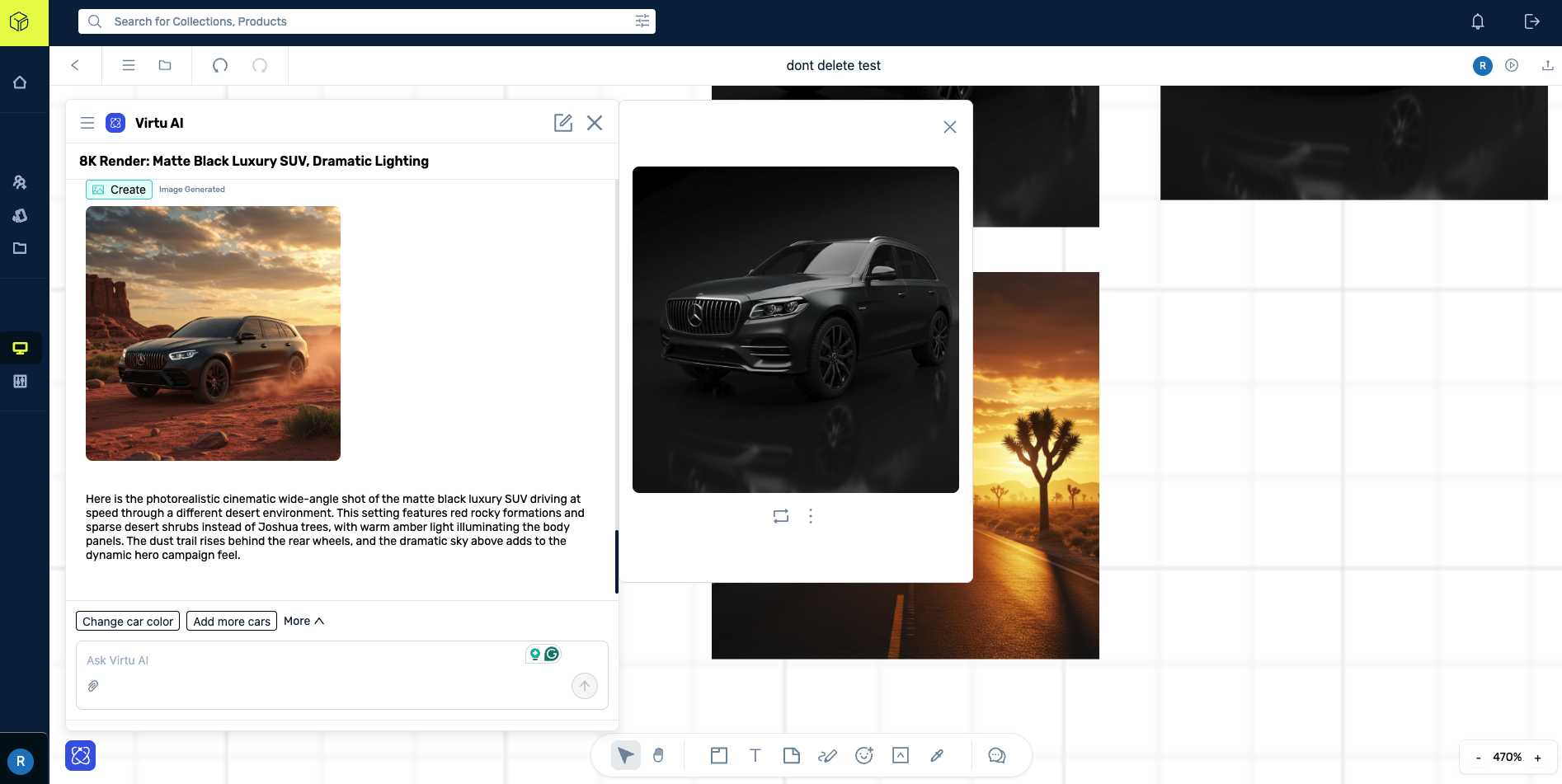
Panel Overlay Obscures Canvas Content
The AI panel slides over canvas content when opened, and the Assets panel is forced closed. This breaks the spatial workspace metaphor and prevents working with both AI and existing assets simultaneously.
Maya: Cannot see her mood board while using AI, destroying creative flow. Lina: Cannot reference board content while annotating specs.
A5
No Model Selection or Generation Controls
Users cannot choose AI image models, adjust generation parameters, or access enhance/upscale capabilities. The AI is a black box: input text, receive image, no control over style, fidelity, or output format.
Maya: Cannot choose between photorealistic, illustration, or sketch styles. No post-generation refinement tools.
A6
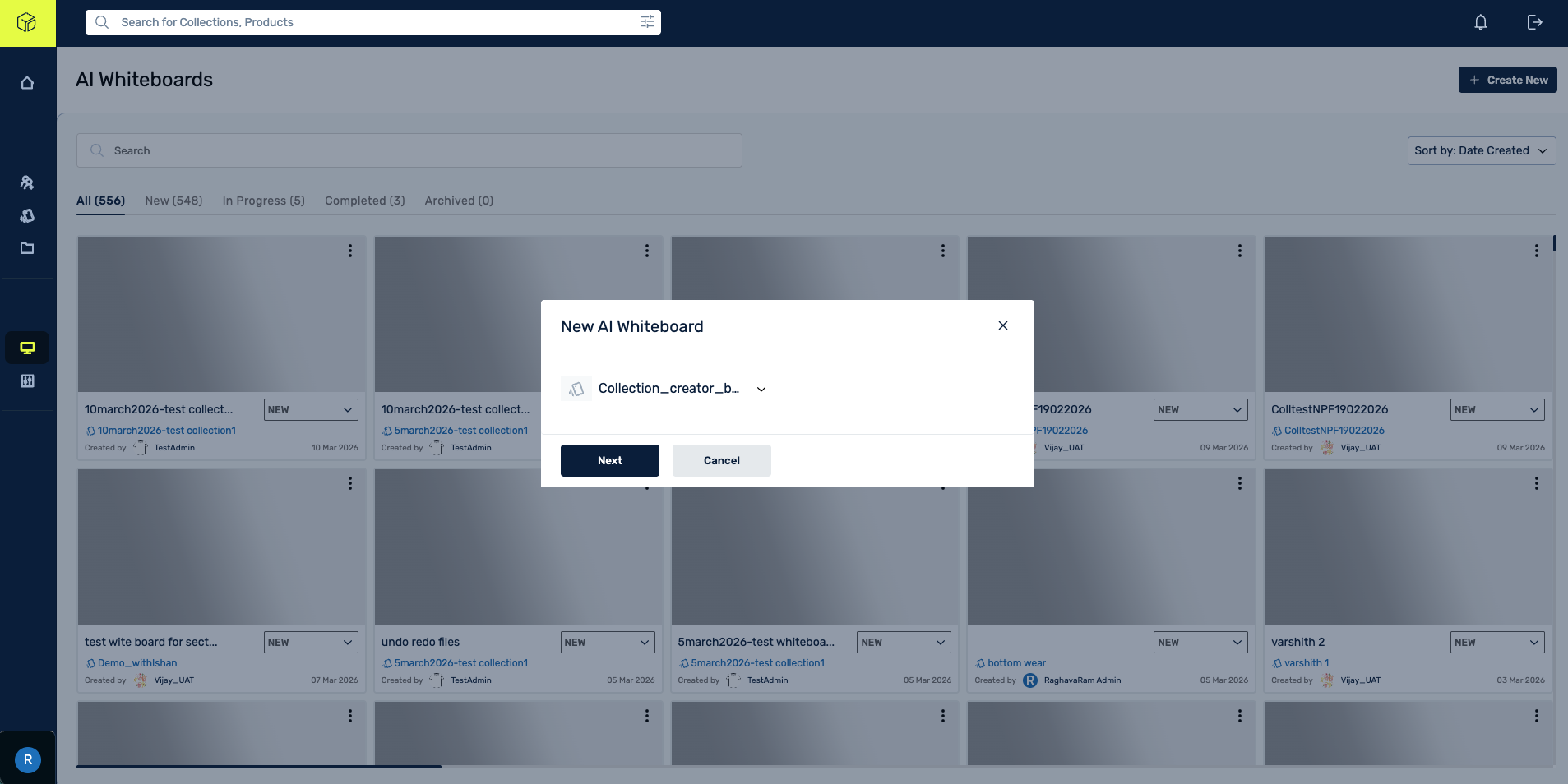
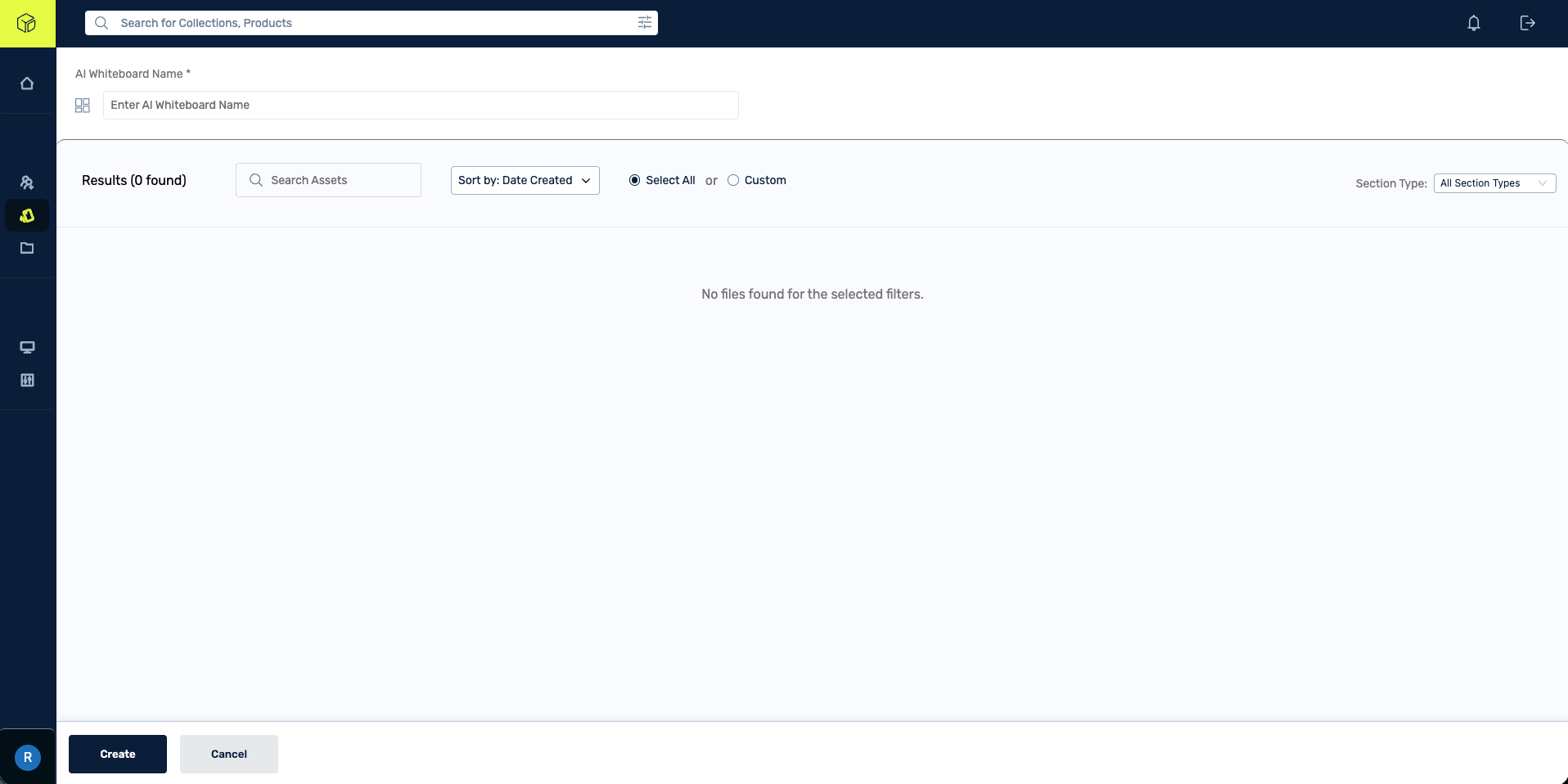
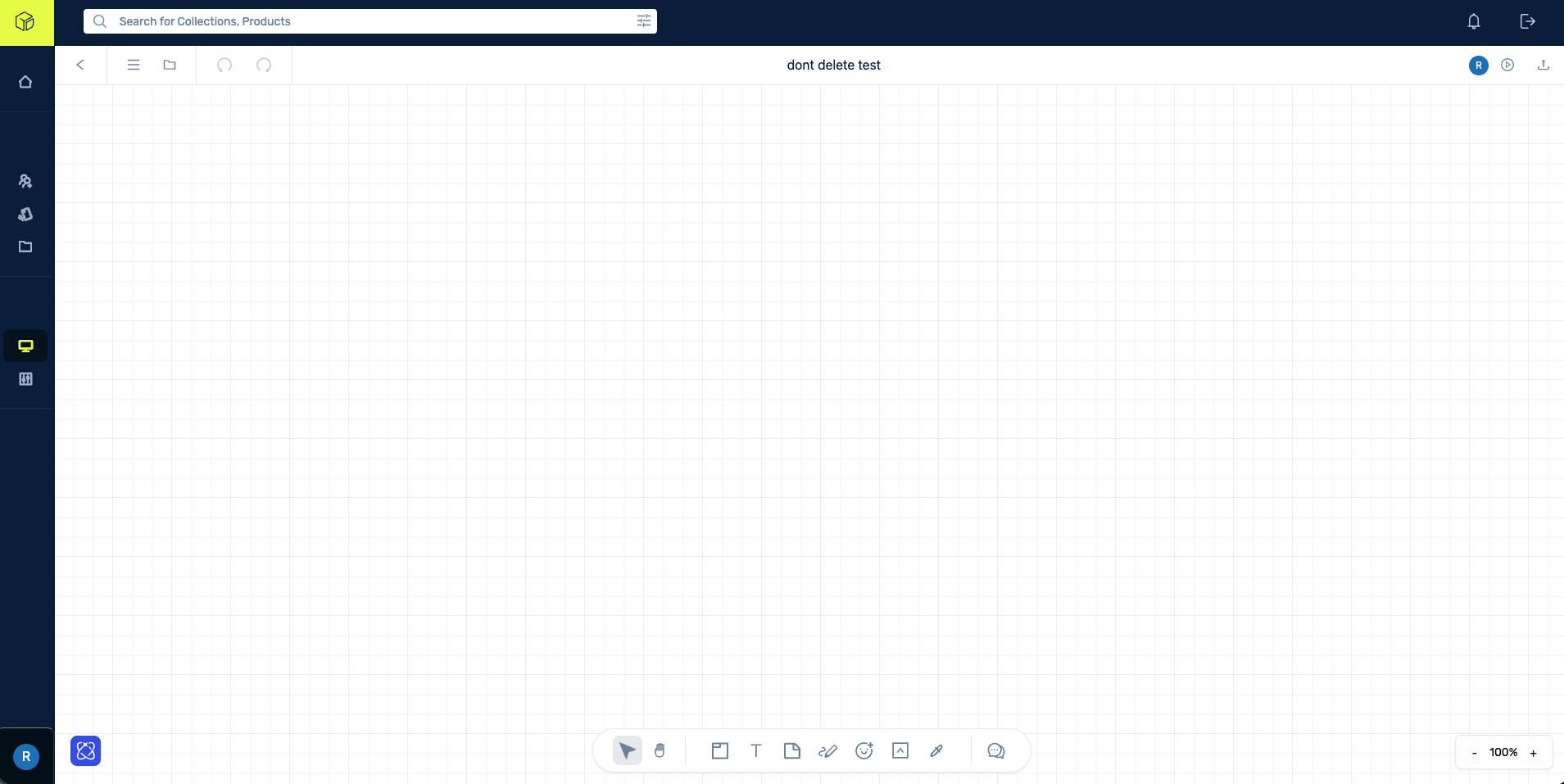
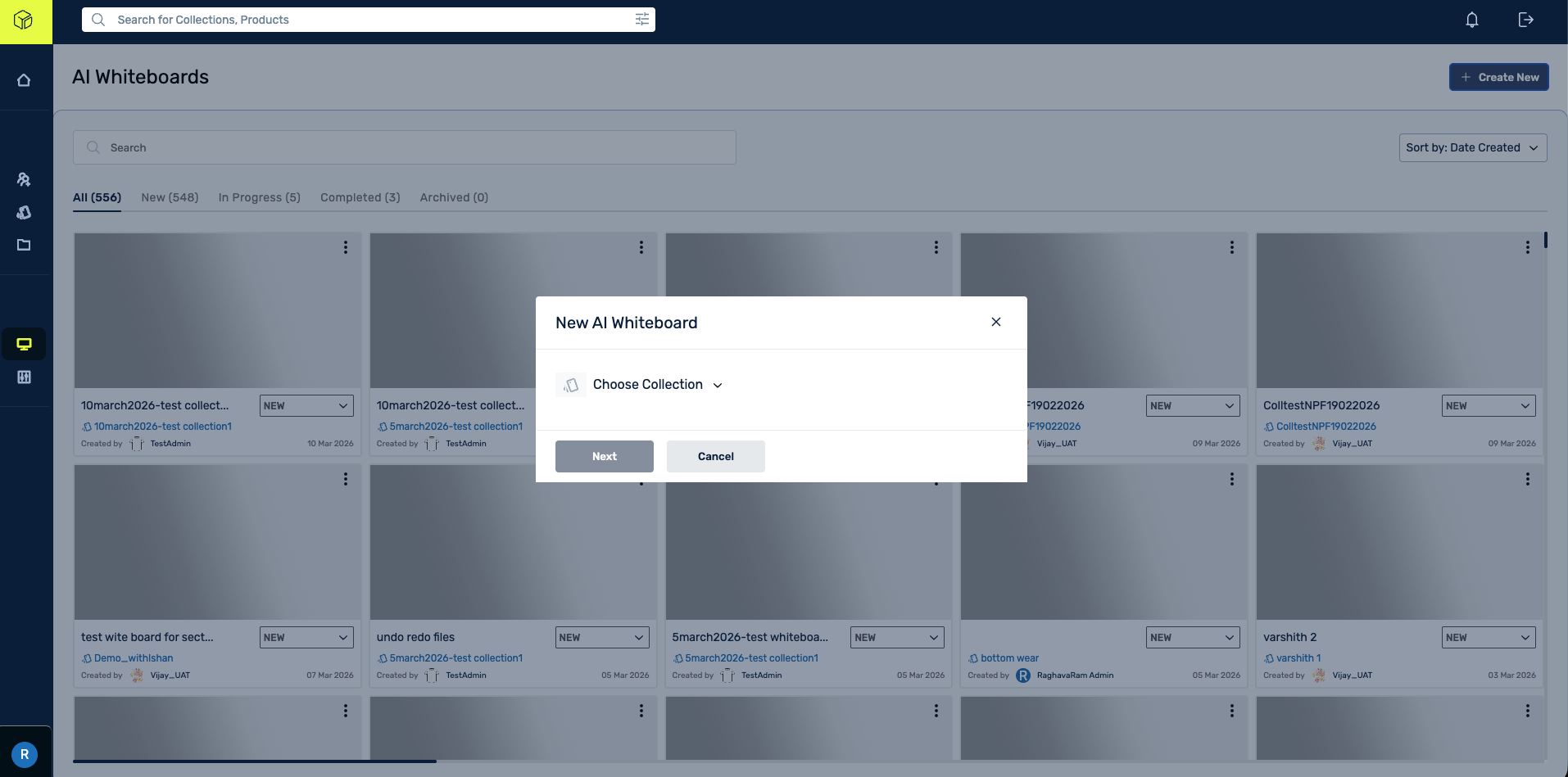
Blank Canvas Without Starting Points
New whiteboards open to a blank canvas with no templates, prompts, or starting points. The creation flow is lengthy and confusing. 42% of creative professionals cite onboarding friction as a barrier.
Maya: Blank canvas paralysis. Raj: No collection planning templates. Daniel: No sourcing view templates.
A7
3D Branding vs 2D Reality
"Virtu 3D" branding creates strong expectation of 3D capabilities, but the AI Whiteboard offers only 2D canvas tools. No 3D viewer, spatial design, or video generation.
Maya: Her workflow requires 2D-to-3D transition. The brand promise sets expectations the platform cannot meet.
A8
Missing Interaction Feedback
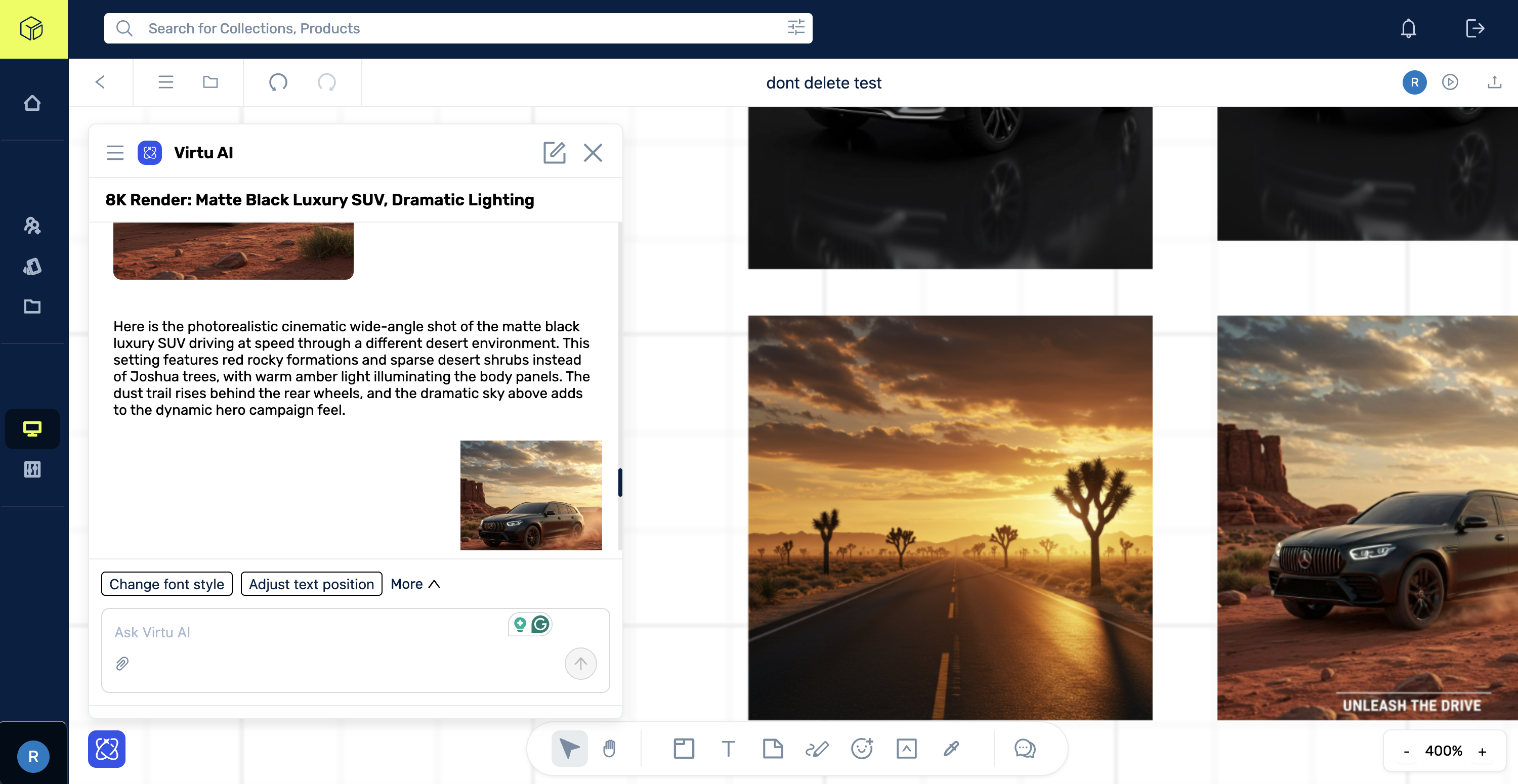
Hover states are missing around Virtu AI. Section tool naming/selection states are not evident. AI generation transitions glitch before results. "Add to whiteboard" places elements without spatial intelligence, sometimes on top of existing elements.
All personas: Creates unpolished experience that undermines confidence. Maya: Cannot preview generated images at full resolution without downloading.
A9
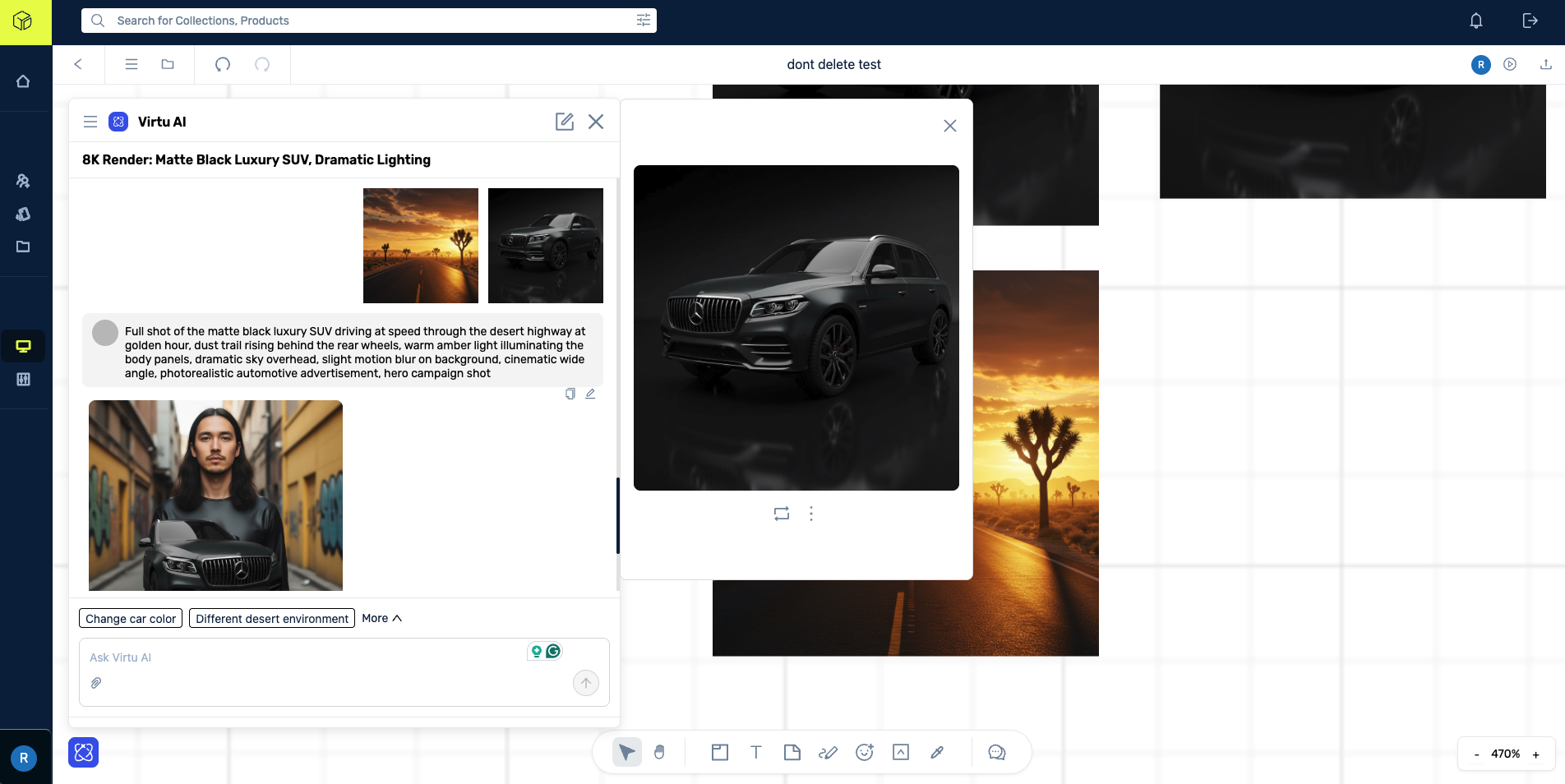
AI Image Composition Misinterpretation
When combining multiple image contexts, the AI produced contextually incorrect compositions. It struggles with multi-reference composition logic. Iterative feedback improved results, but initial misinterpretation wastes cycles and erodes trust.
Maya: Multi-reference moodboarding is core to her workflow. Unreliable composition means she cannot trust the AI on first pass.
A10
No Reusable Workflow or Node-Based Pipeline
Competitor tools offer templatized, node-based workflows for repeatable output pipelines. Virtu puts the entire orchestration load on the user and the chat. Every session starts from scratch.
Raj: Cannot template a line review workflow. Maya: Cannot save a moodboard-to-variant pipeline. Lina: No repeatable tech pack flow.
A11
AI Answer Sources Not Inline
When Virtu AI provides text-based answers, the sources or citations are not presented inline. Users cannot verify where information originates without leaving the platform.
Raj: Cannot verify trend data provenance. Daniel: Cannot trace sourcing claims. Lina: Cannot confirm compliance info accuracy.
A12
Chat-Confined AI Context With No Board Integration
All AI-generated context remains confined to the chat panel. Users must scroll through chat history to find previous outputs. There is no way to add context from the whiteboard back into the AI.
Maya: Loses creative flow scrolling for earlier outputs. Raj: Cannot build a visible decision trail on the board.
Detailed Audit Scores
| Color System | 3 / 5 | Functional dark palette. Low-contrast text (4.03:1 vs 4.5:1 required). No semantic color tokens. |
| Typography & Hierarchy | 2.5 / 5 | Clean Inter usage. Inconsistent size scale (10-14px body). No typographic rhythm. |
| Layout & Spatial | 2.5 / 5 | AI panel overlay obscures canvas. No responsive breakpoints. Padding inconsistencies. |
| Interaction & Motion | 1.5 / 5 | No hover/focus states. Missing loading transitions. No micro-interactions. Abrupt state changes. |
| Component Consistency | 3 / 5 | Reasonable button consistency. Mixed input styles. Inconsistent icon sizing. No component tokens. |
| Creative Tool Fit | 2 / 5 | Toolbar mirrors generic whiteboard, not creative tool. Palette display as text, not visual. |
| 1.1 Text Alternatives | 1.5 / 5 | Canvas images lack alt text. AI-generated images have no descriptions. |
| 1.3 Adaptable Content | 2 / 5 | No semantic heading structure. Reading order undefined for screen readers. |
| 1.4 Distinguishable | 1.5 / 5 | Text contrast failures (4.03:1 vs 4.5:1 required). No high-contrast mode. Color-only status indicators. |
| 2.1 Keyboard | 1 / 5 | Canvas tools not keyboard-navigable. No tab order. Trap states in modals. |
| 2.4 Navigable | 1.5 / 5 | No skip navigation. Focus indicators absent. No landmark regions. |
| 3.3 Input Assistance | 1 / 5 | No error identification for failed AI generations. No recovery paths. Validation absent. |
| 4.1 Compatible | 2 / 5 | Missing ARIA labels. Custom components lack role attributes. Dynamic content changes not announced. |
These were not random UI flaws. Virtu had strategic intelligence in its product structure, but not yet enough operational intelligence in its interaction model.
One-Day Ideation Workshop
One day. Stakeholders, the dev and design teams, and a handful of power users around one table. We opened the problem up rather than jumping straight from findings to a deliverable. Quick mockups in Figma and Figma Make, whiteboarding to rough out flows, and a workshop ideation prototype in Vercel so the ideas could be felt, not just debated. Everything below was produced inside that single session.
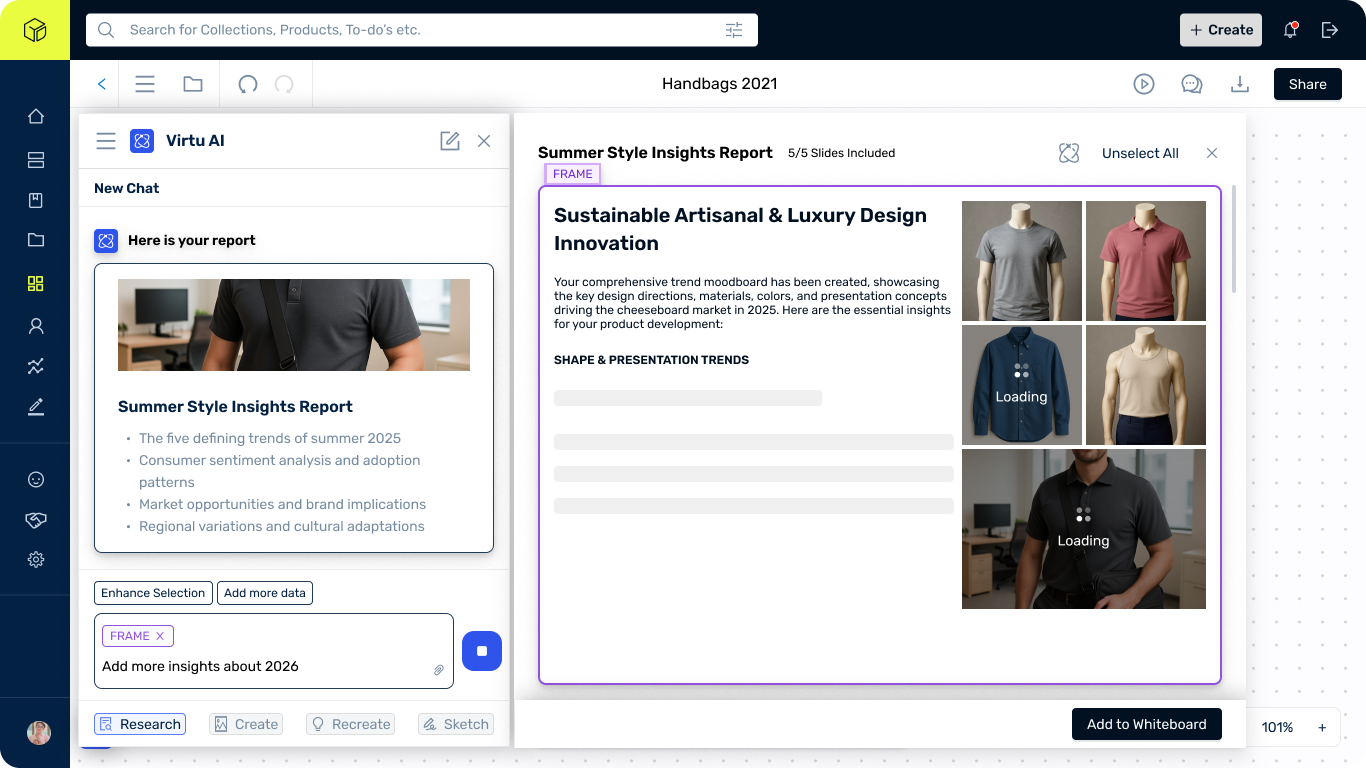
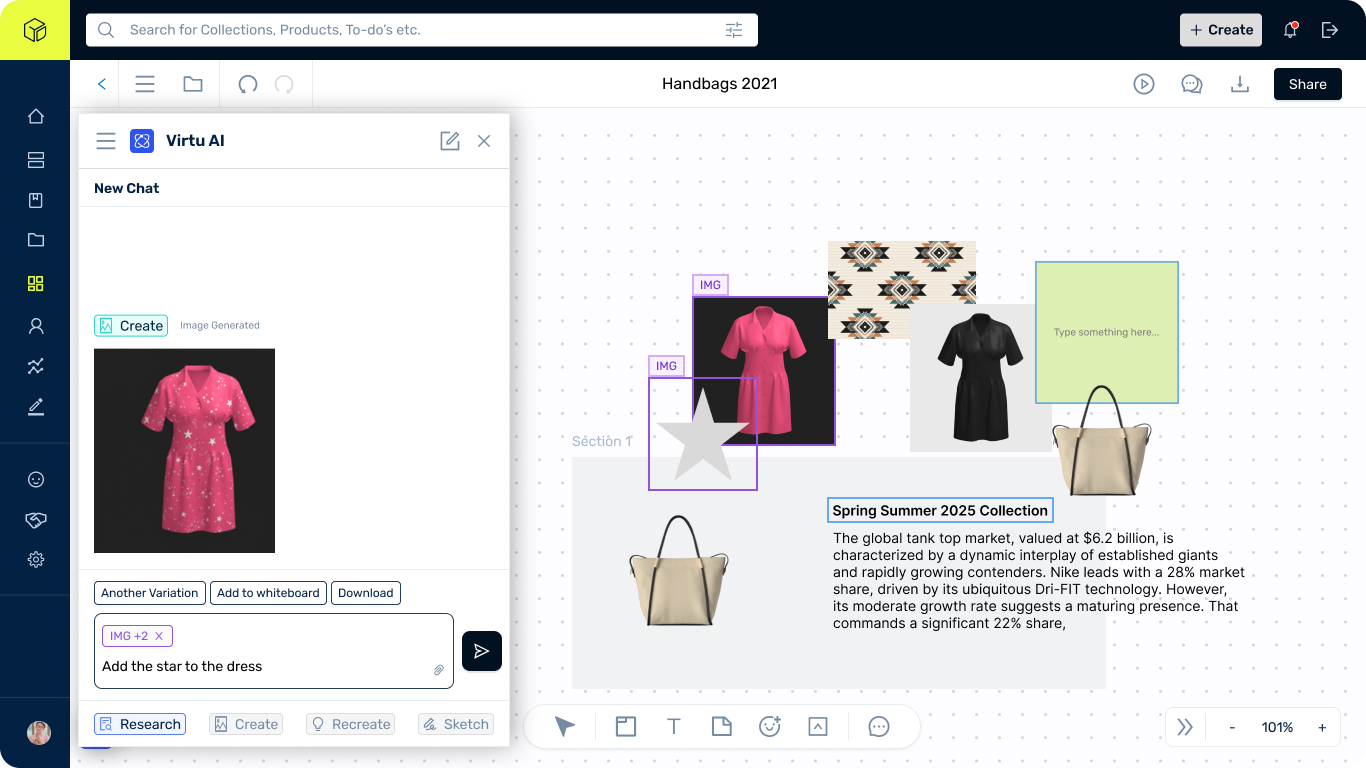
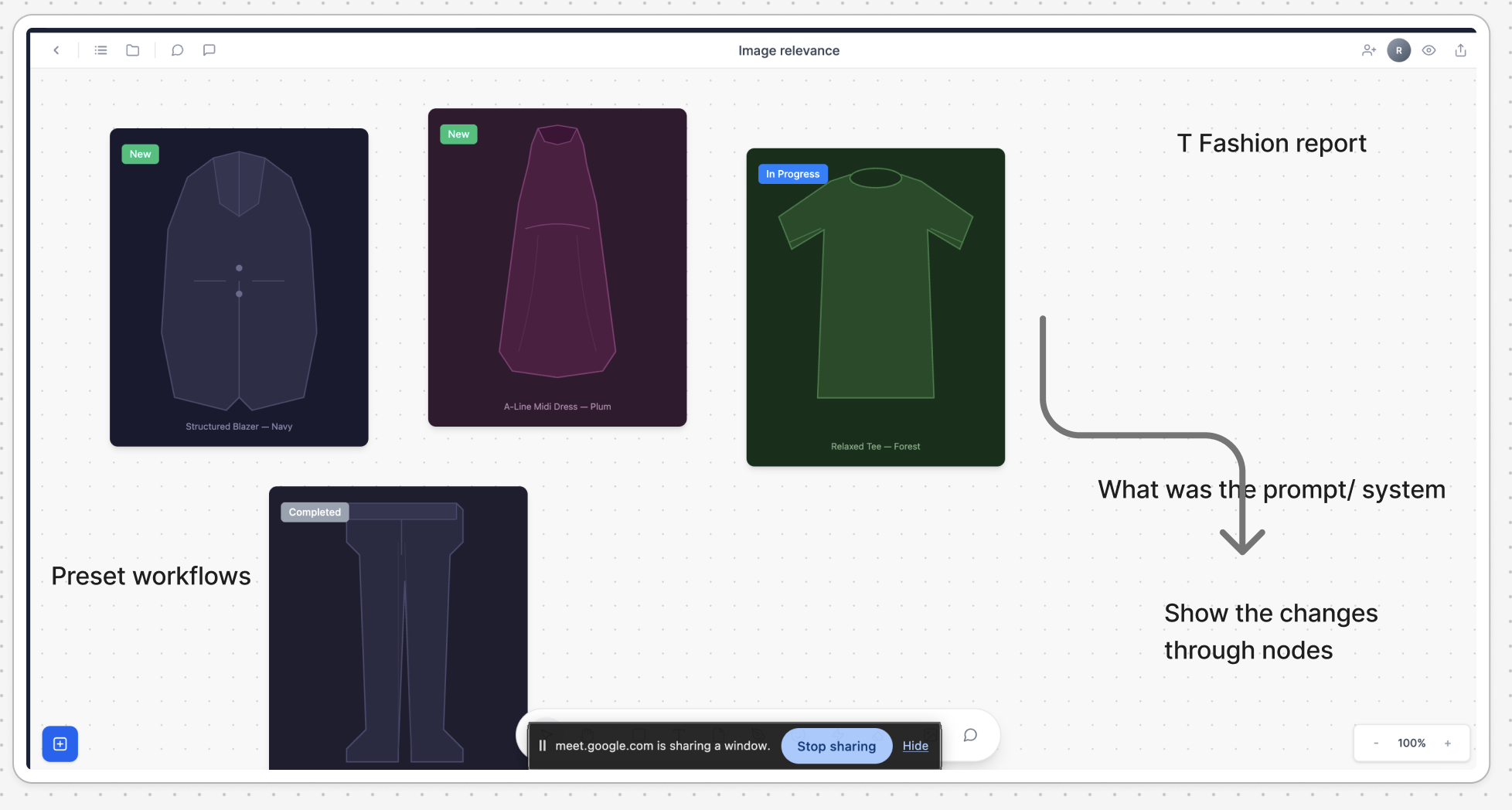
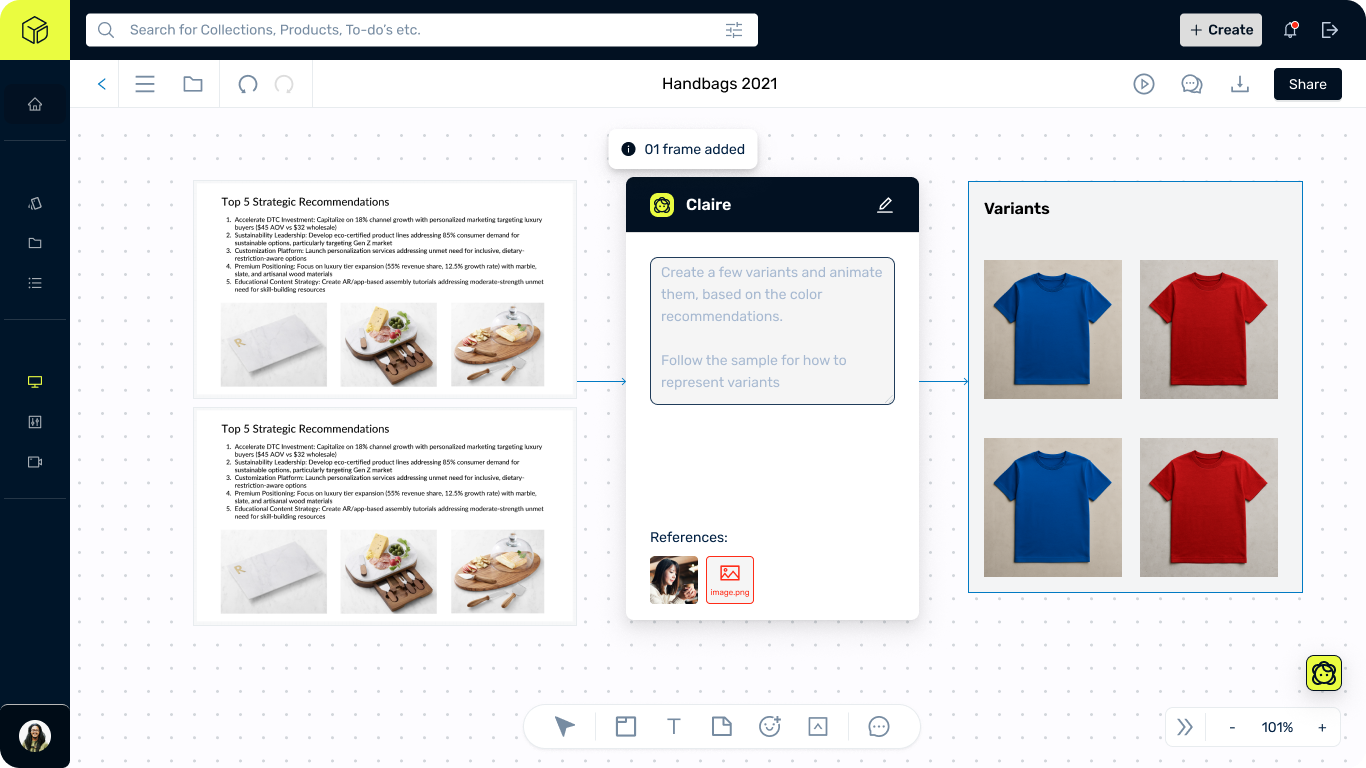
We wired up the core interaction, selecting canvas elements as AI context, rendering outputs back onto the board, so the team could feel the bidirectional loop instead of arguing about it in slides.
Open the prototypevirtu-canvas-prototype.vercel.app
By the end of the day we knew which ideas survived contact with the product and which needed more upstream fixes. With everyone aligned in the room, the priorities arranged themselves into a three-phase sequence.
The recommendations resolved into three phases, sequenced by dependency and impact.
Phase 01
Fix the foundation
Connect suggestive prompts to canvas actions (A3)
Prompt chips trigger direct canvas actions instead of requiring text input.
Add hover, selection, and loading states (A8)
Foundational polish that builds user confidence.
Add minimize/collapse to AI panel (A4)
AI and Assets panels must coexist without obscuring canvas.
Align branding with actual capability (A7)
Deliver 3D or reposition the brand to match 2D reality.
Add starter templates (A6)
Mood board, colorway, tech pack, line sheet. Addresses 42% onboarding friction.
Inline source attribution (A11)
AI responses display sources inline for provenance verification.
Accessibility remediation (WCAG P0)
ARIA labels, keyboard navigation, focus indicators.
Error identification and recovery (WCAG P0)
Clear error messages with actionable recovery paths.
Phase 02
Close the gaps
Build bidirectional AI-canvas context (A1)
The #1 vulnerability. Select canvas elements as AI input. Render outputs on canvas.
Model selection and generation controls (A5)
Style presets, aspect ratio, quality parameters, upscale tools.
Replace text outputs with visual components (A2)
Palettes as swatches, not hex strings. Trend reports as visual cards.
Fashion-specific templates (A6)
Mood board, colorway, and tech pack starting points.
Redesign AI panel as sidebar (A4)
Panel covers canvas. 23% productivity loss from task-switching.
Multi-reference composition controls (A9)
Explicit composition guidance for multi-ref prompts.
Board-to-AI context bridge (A12)
Feed whiteboard elements into AI. On-canvas interaction replaces chat.
Phase 03
Own the pipeline
Full ideation-to-PLM pipeline (S1)
Mood board to collection to PLM export. The moat competitors cannot replicate.
Context-aware AI reading canvas
AI sees patterns and suggests colorways. True canvas intelligence.
Role-based canvas views
Same board, different lenses: creative, technical, sourcing, merchandising.
Role-based pricing
Viewer/editor tiers aligned to team workflows.
PLM integration hooks
Export to Centric PLM, Gerber, standard tech pack formats.
Reusable workflow templates (A10)
Save, share, replay AI-assisted workflows. Single-session to production system.
Virtu's problem was not that it lacked a differentiator. The current experience kept burying its differentiator under friction.