Case study · Virtu Configurator
Fashion teams can now try their own ideas on a 3D garment, without waiting for a specialist.

TL;DR
Virtu, Fountane's in-house venture, makes software for fashion teams to work with 3D garments without being specialists. The 3D models are made in specialist software. The people with the ideas can open them but cannot work in that software, so every idea becomes a request, and a wait.
Virtu Configurator gives them a simple 3D garment they can turn, recolour and change on their own, then hand on when it is right.
What happens to an idea today?
Nadia runs the collection. She knows the customer better than anyone and has never touched 3D software.
She has an idea. Darker sleeves, in velvet.
She can sketch it flat. She cannot see it on the garment, turned in the light.
She describes it to the 3D team, and waits.
What comes back is a flat picture, not quite what she meant. She describes it again. She waits again.
By the time it is right, the meeting has moved on. And the picture that reaches production never says whether that colour was final or just a thought.
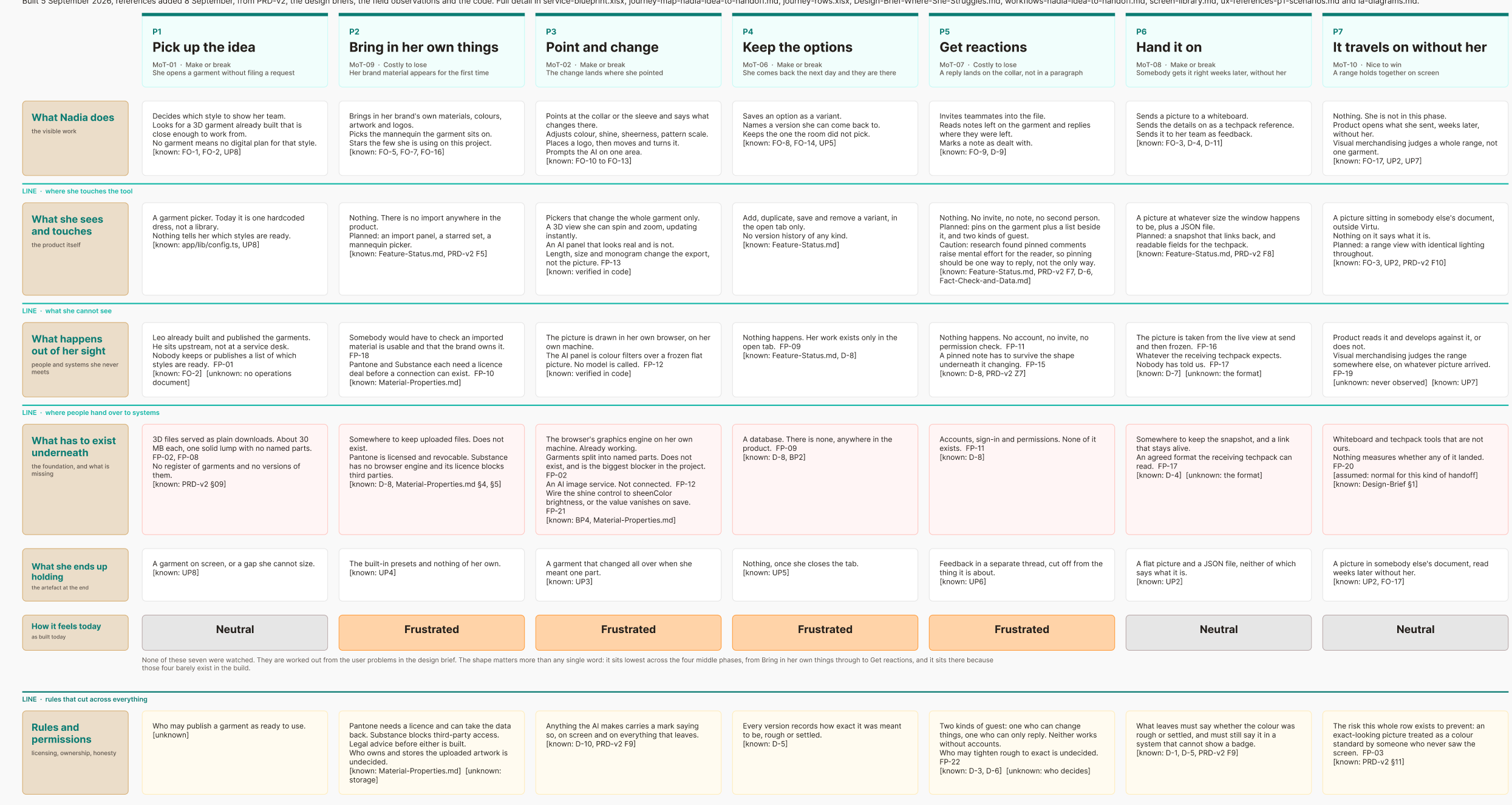
The same picture then passes from hand to hand: her team now, the people who make the garment later, the people who plan the shop floor later still. All of them need one agreed version, reached quickly and without the loop. And she needs to try an idea and see how it looks without waiting. The old way, making a physical sample and waiting for it, is slower still.
What did the room think the problem was?
At kickoff, before anyone had watched a merchandiser work, the room saw a loop. She asks, they interpret, they send back. Not quite right. Repeat. Founders, business, the 3D specialists and the design team all read it that way.
So the hypotheses pointed at communication. Close the loop faster. Better references. Comments on the techpack. A tool stack that stops feedback going missing. Each was a reasonable answer to the problem as described.
I wrote it down as something we could be wrong about. Then I went to watch merchandising managers work, and asked what they had already tried.
Why was the loop slow?
Because of what it carried, not how fast it moved. A description of a garment change is ambiguous however fast it arrives. Every round trip needed an expert to interpret it.
The people I watched had already run their feedback through Notion, Dropbox, Slack and email. They still had the loop. A problem that survives four tools is not a tooling problem.
So the real need was not a better message. It was not having to send one. Her idea is a garment, a thing you have to see. The only way to see it was to describe it to someone else and wait for a guess. She could not do her own trial and error: every try went through someone else, one slow round at a time. So she had fewer ideas, sent vaguer ones, or settled.
The room was not careless. Every voice it could hear sat on the supply side of the queue, where the friction is unclear briefs and rework. Nadia sits on the demand side, where it is not being able to show what she means. One friction. Two honest descriptions. Only one in the room.
So how do you give someone who cannot use 3D software a garment to play with?
What was mine to find out, and to decide?
The brief was a raw vision, not a configurator. At Fountane I owned the design from discovery to hand-off, with a design intern. The service map, workshops and rapid tests, then an MVP and a roadmap.
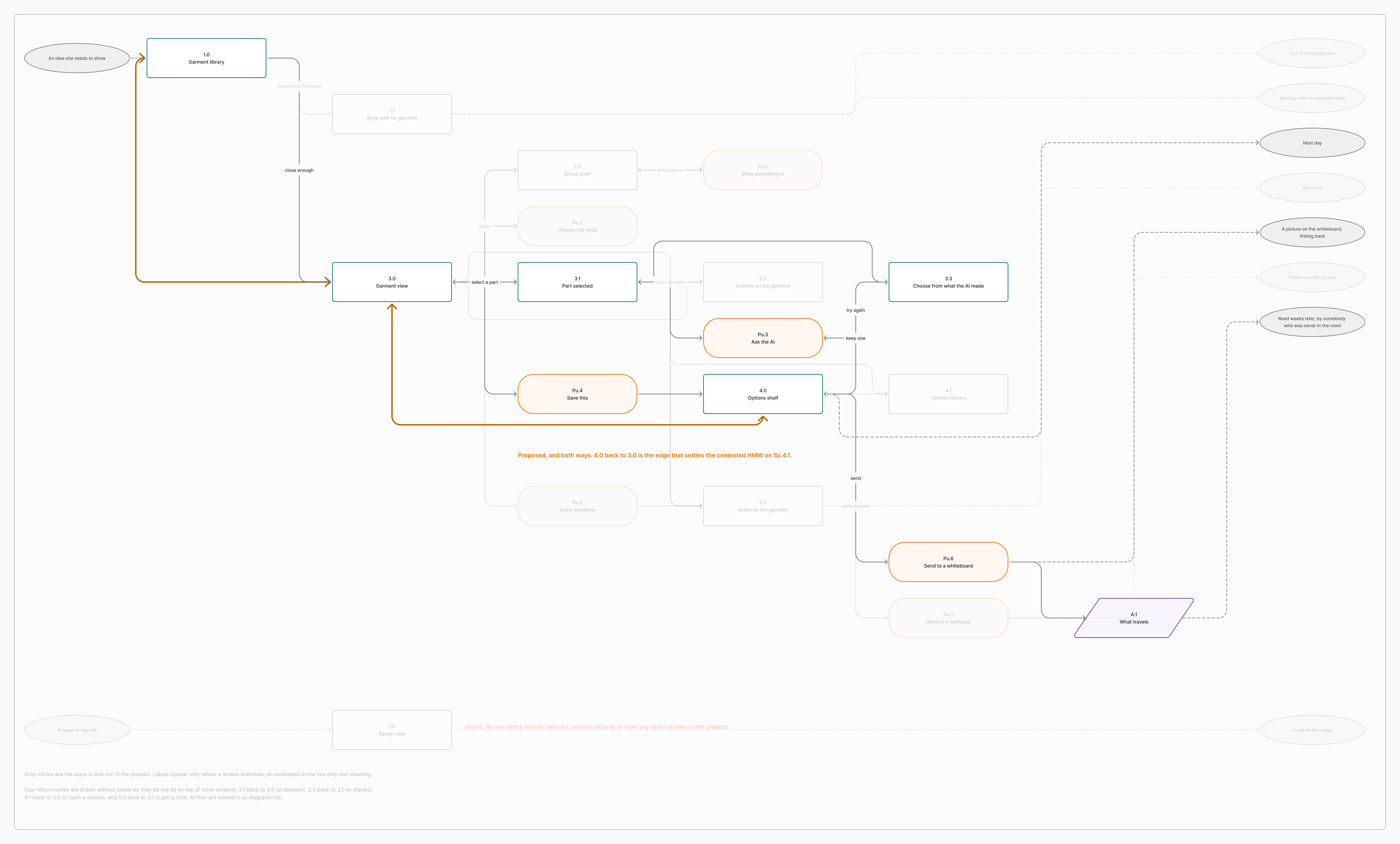
Research and workshops narrowed it to one problem: Nadia cannot see her own idea on the garment without describing it to an expert and waiting for a guess. So the brief became one sentence. She opens a garment, changes part of it, keeps a couple of directions, and sends one to her team, without specialist 3D software and without asking anyone.
Who else serves her?
Two questions place every product: who it is built for, and whether what comes out is a production asset or something to think with. The expert tools make production assets. The buyer configurators make orders. The review platforms let her look, not make: Stylezone hides its one way of making a colourway from reviewers.
The quadrant for a non-expert who wants to think with the garment was empty in everything we compiled, if not in the world.
What can she do now that she could not before?
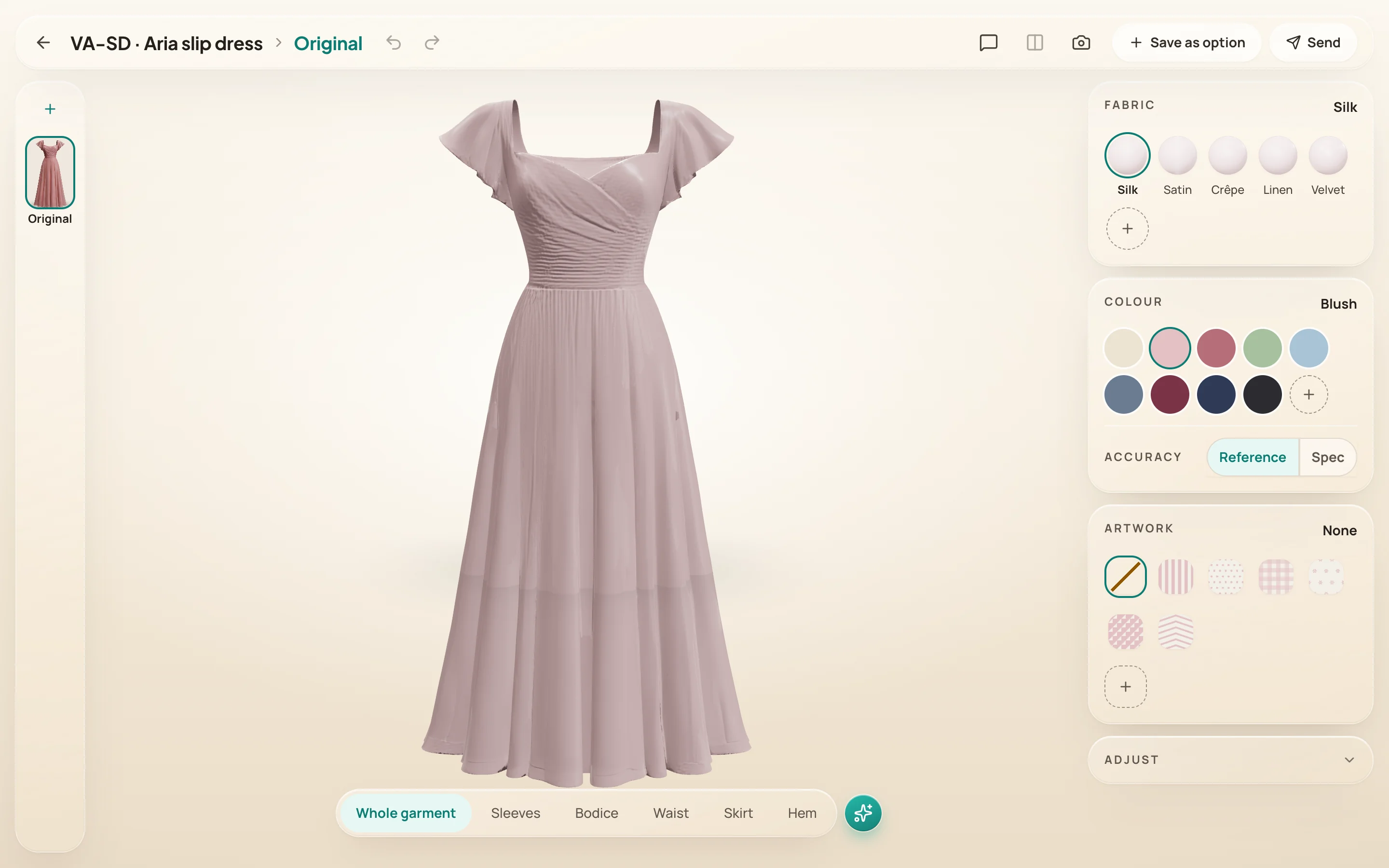
Her career has been garments on a stand, so the configurator is built as a studio she recognises: a dress on a warm floor, one teal for the actions she can take.
The visual language is called Warm Studio Glass. A warm floor and a soft key light, so the garment reads as it does on a stand. Frosted glass panels, so the controls sit lightly over the scene. One teal for any action she can take. The garment is the hero and the interface recedes; selection is an outline, never a tint, so the colour she is judging stays true.
A studio she already knows
garment on a stand, warm floor, a light she can move
Controls in context
a handful of cards, the dress always in view
Five needs from the interviews, and what was built for each.
Need: to see an idea on the real garment, and to test a small one without an expert.
She changes the part herself and sees it at once.
She points at the part on the 3D garment, picks the fabric and the colour, and sees it turned in the light. No request, no wait.
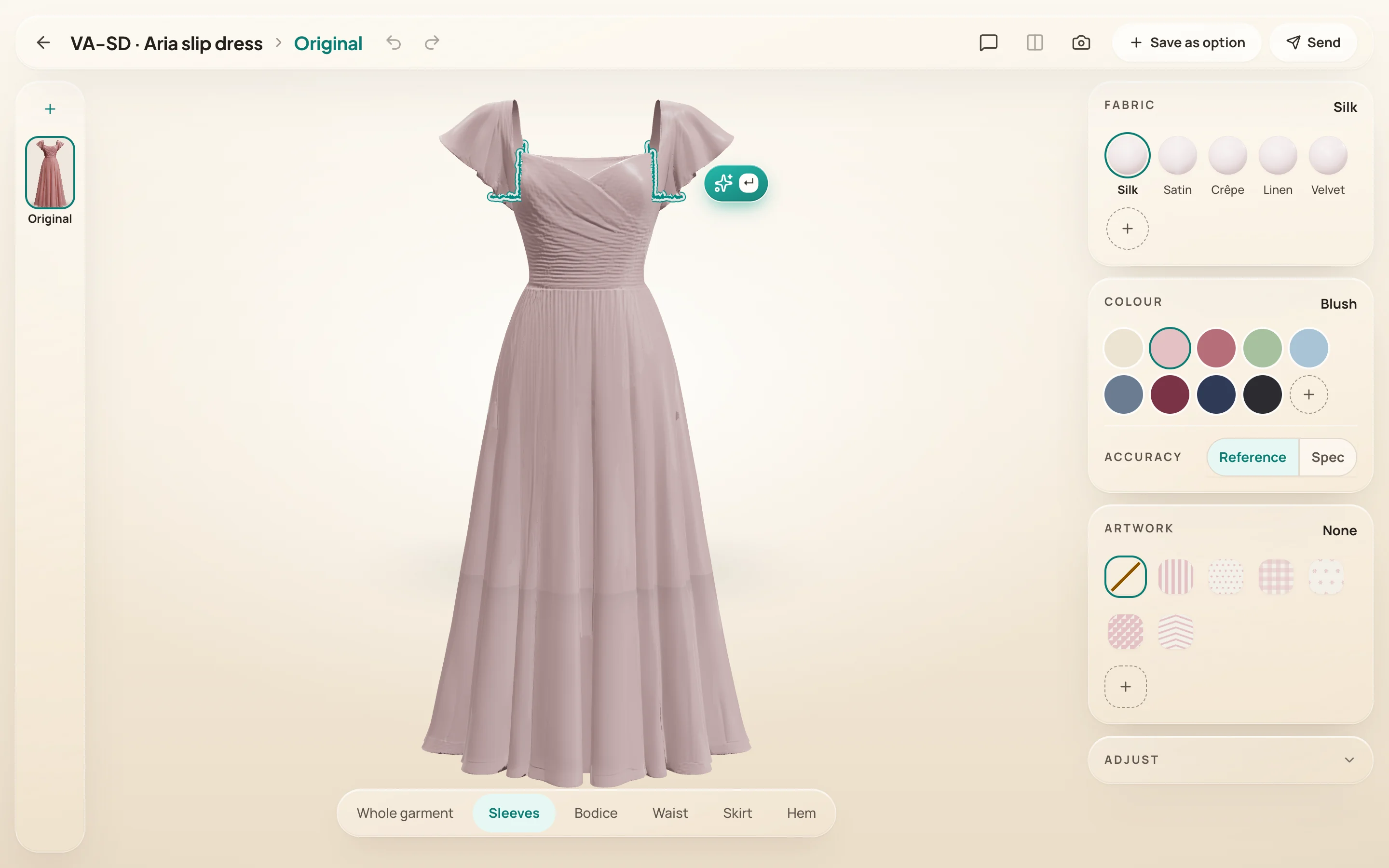
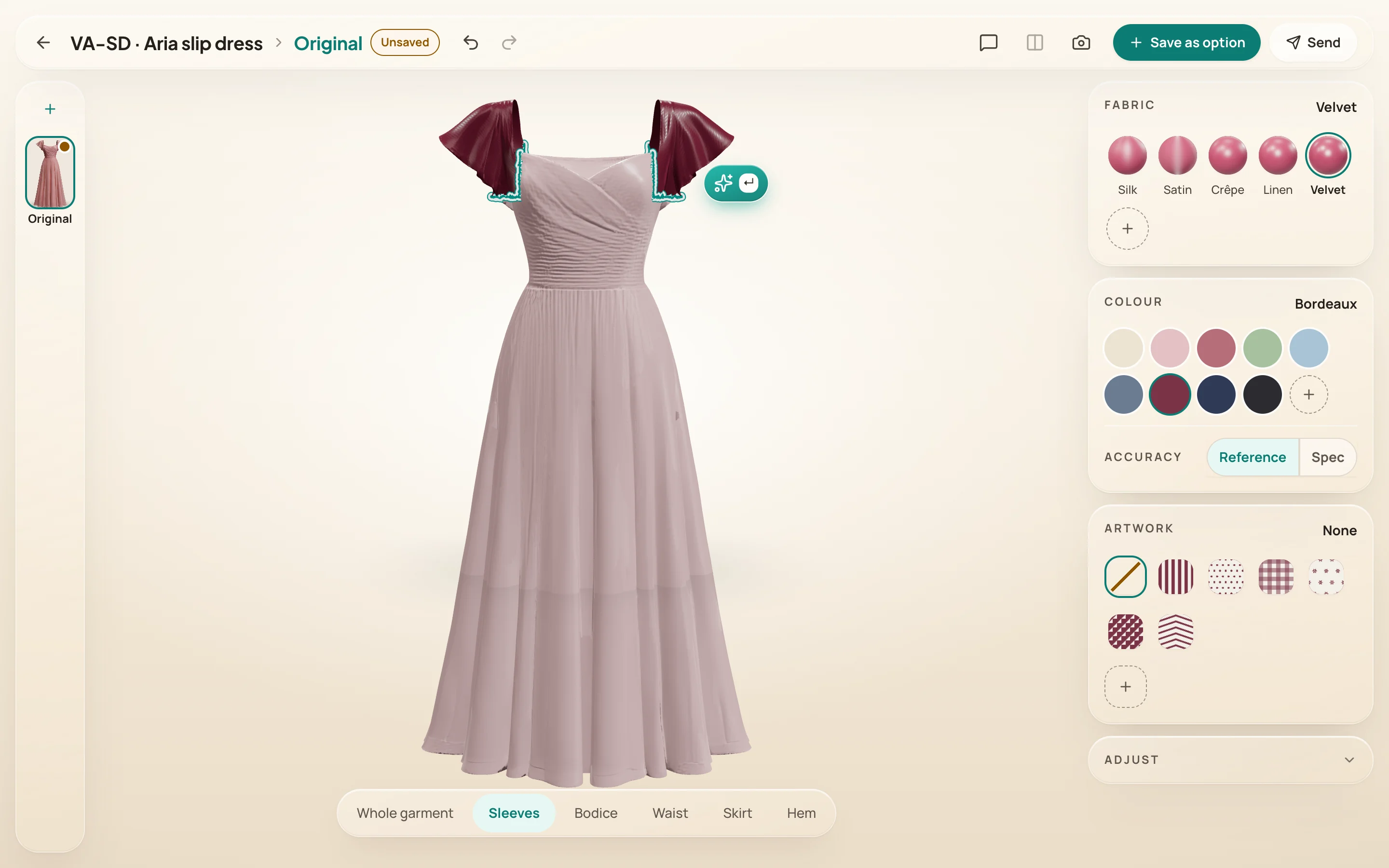
Point at the part, in 3D
no layers, no menus
Fabrics in her colour
rendered live, not stock swatches
Need: to work on every colourway of a style in one place, and to see them side by side.
All the colourways of a style, in one place, compared side by side.
Each colourway sits on the rail as its own option. She opens one, changes it, keeps it, and compares any two at working size, the original always one of them.
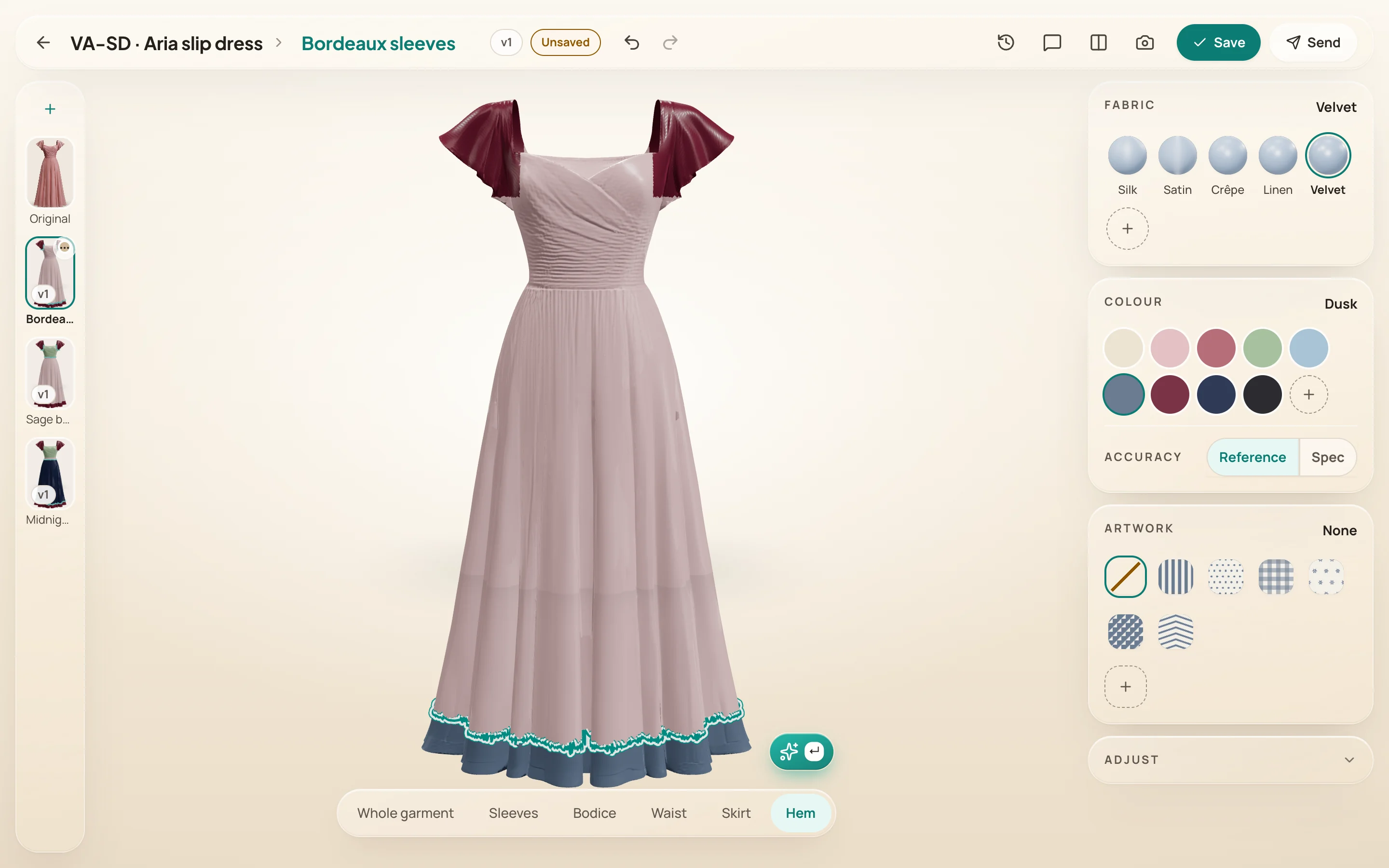
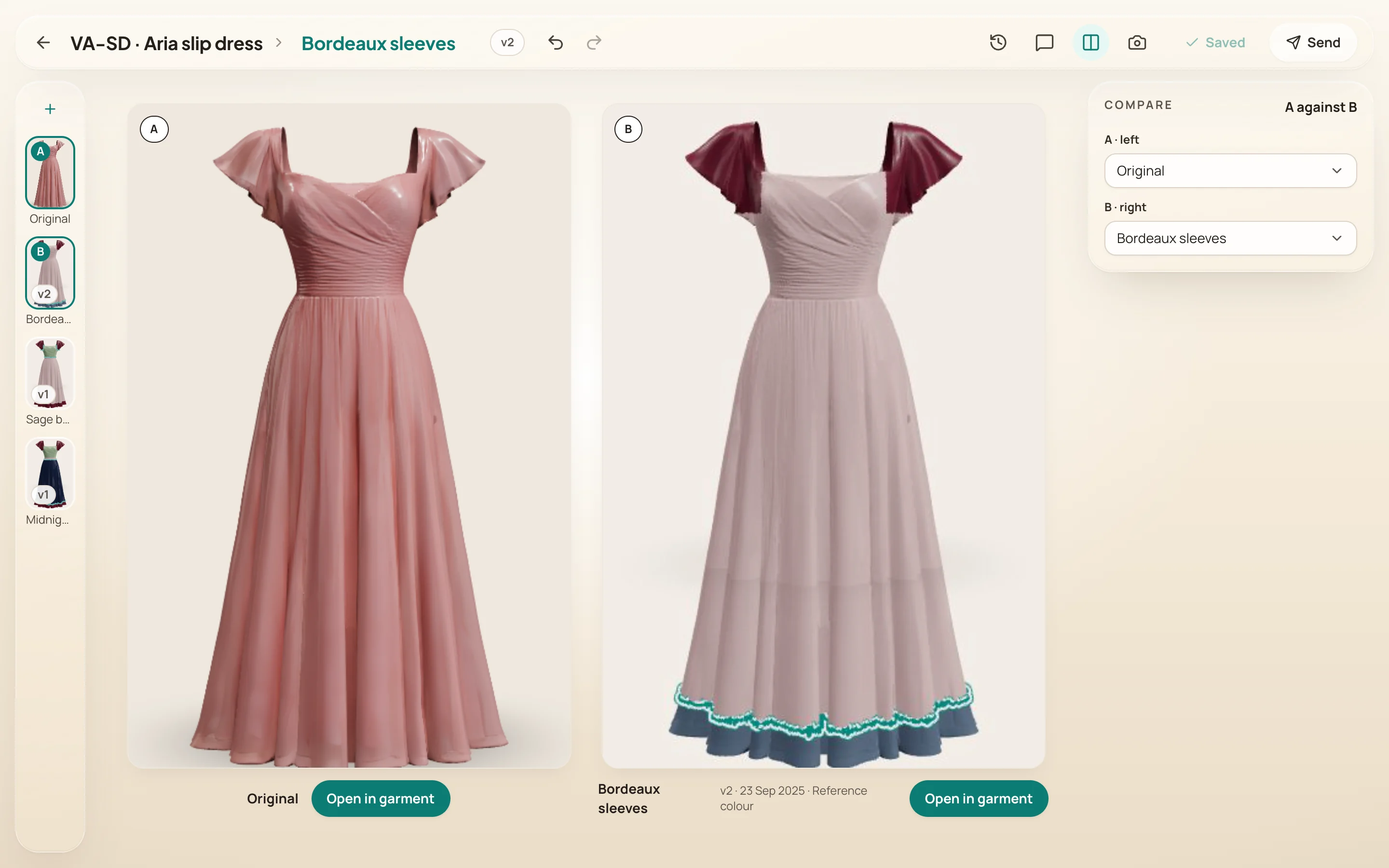
Every colourway on one rail
open it, change it, keep it
Side by side
any two at working size, the original always one of them
Need: feedback on the garment itself, not words in an email about a picture.
Feedback lands on the garment, where the problem is.
She clicks the hem, a pin holds the note, and the team replies on it and marks it dealt with.
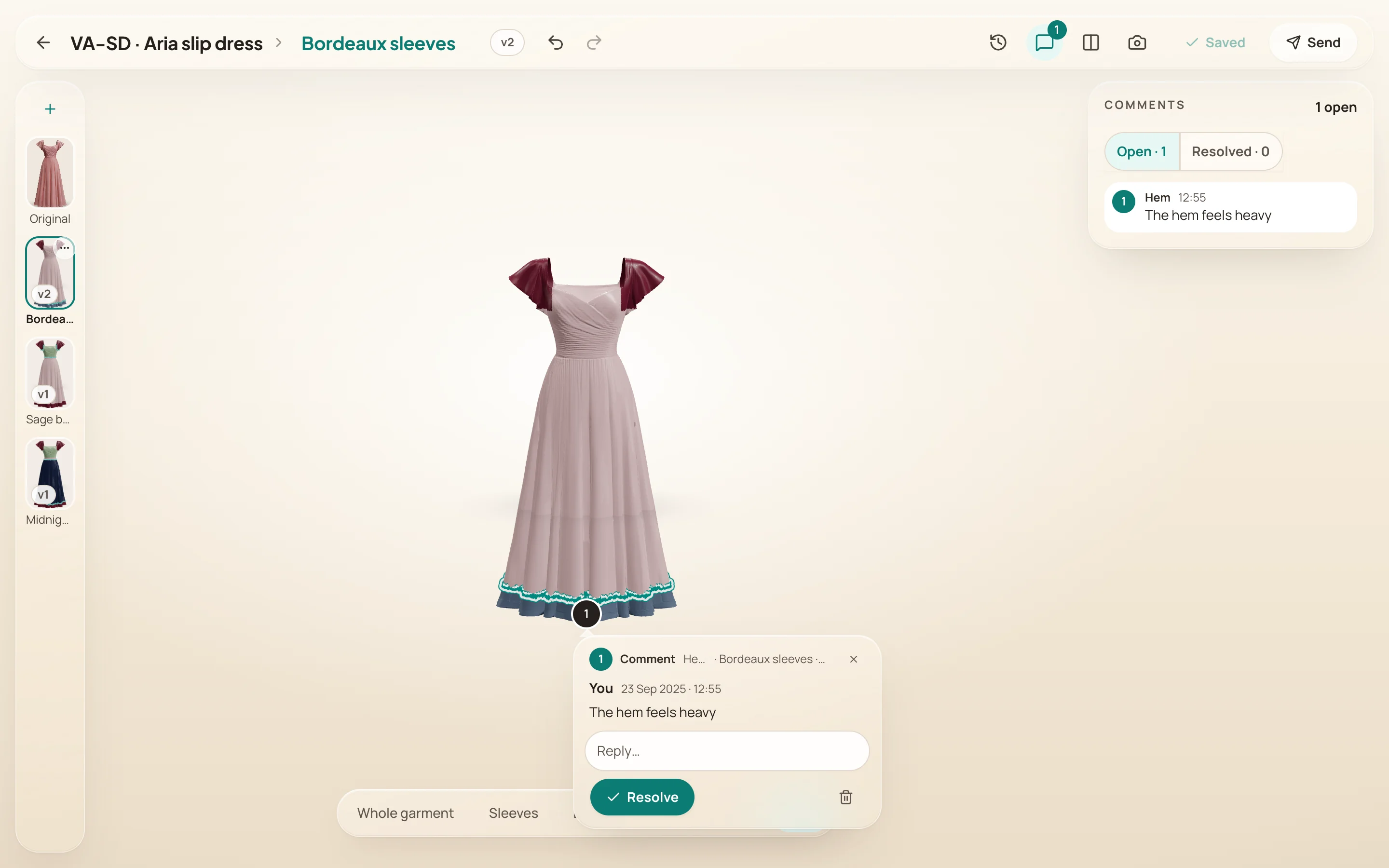
A pin on the garment
the note is where the problem is
Open and dealt with
the panel keeps the list
Need: a picture good enough for a deck or a whiteboard, without asking the 3D team.
She renders and shares it herself.
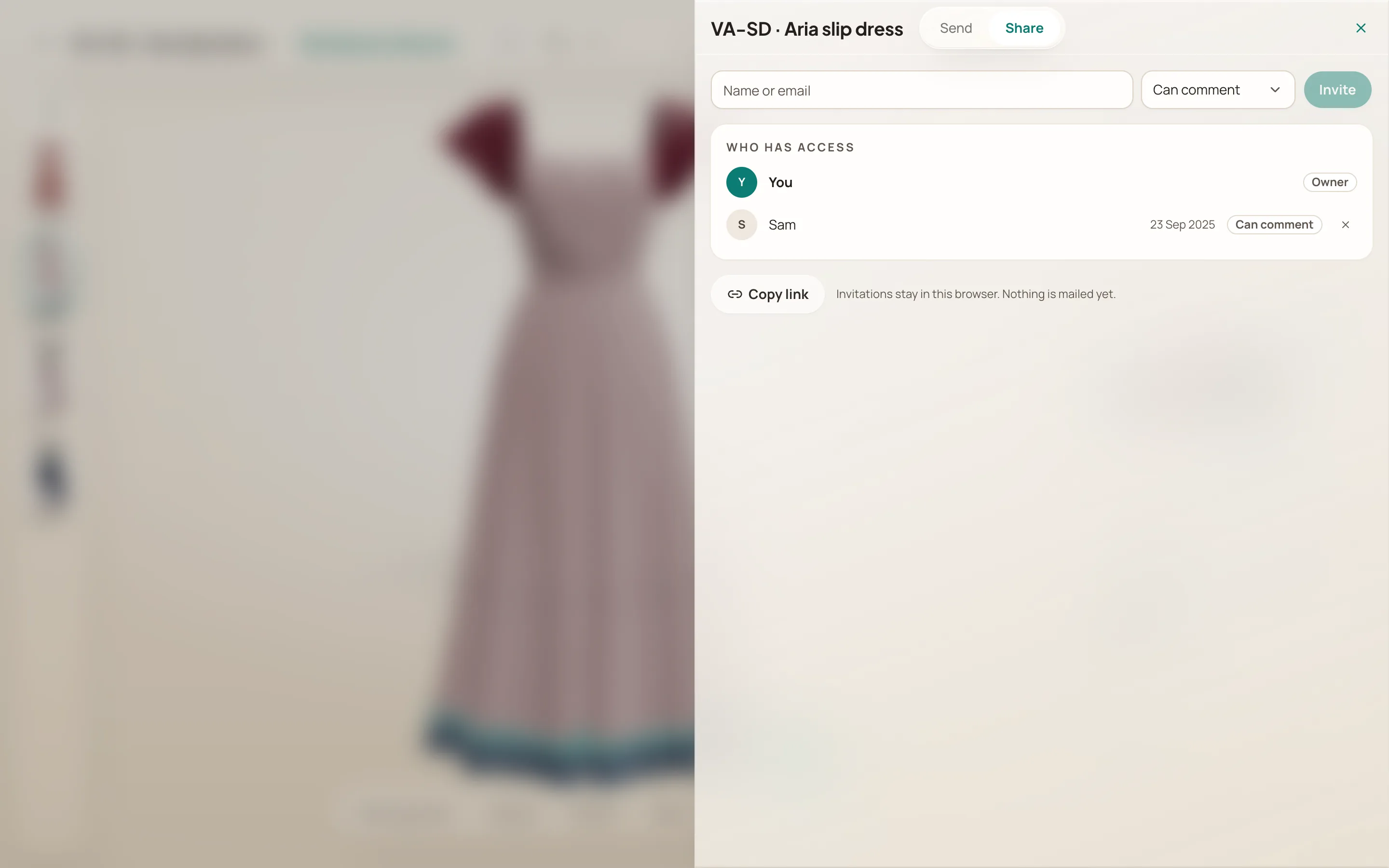
She renders it at the size, angle and light she wants, then copies or downloads it, or invites her team to view or comment. The label rides along, burned in and repeated as text, so nobody downstream guesses what it is.
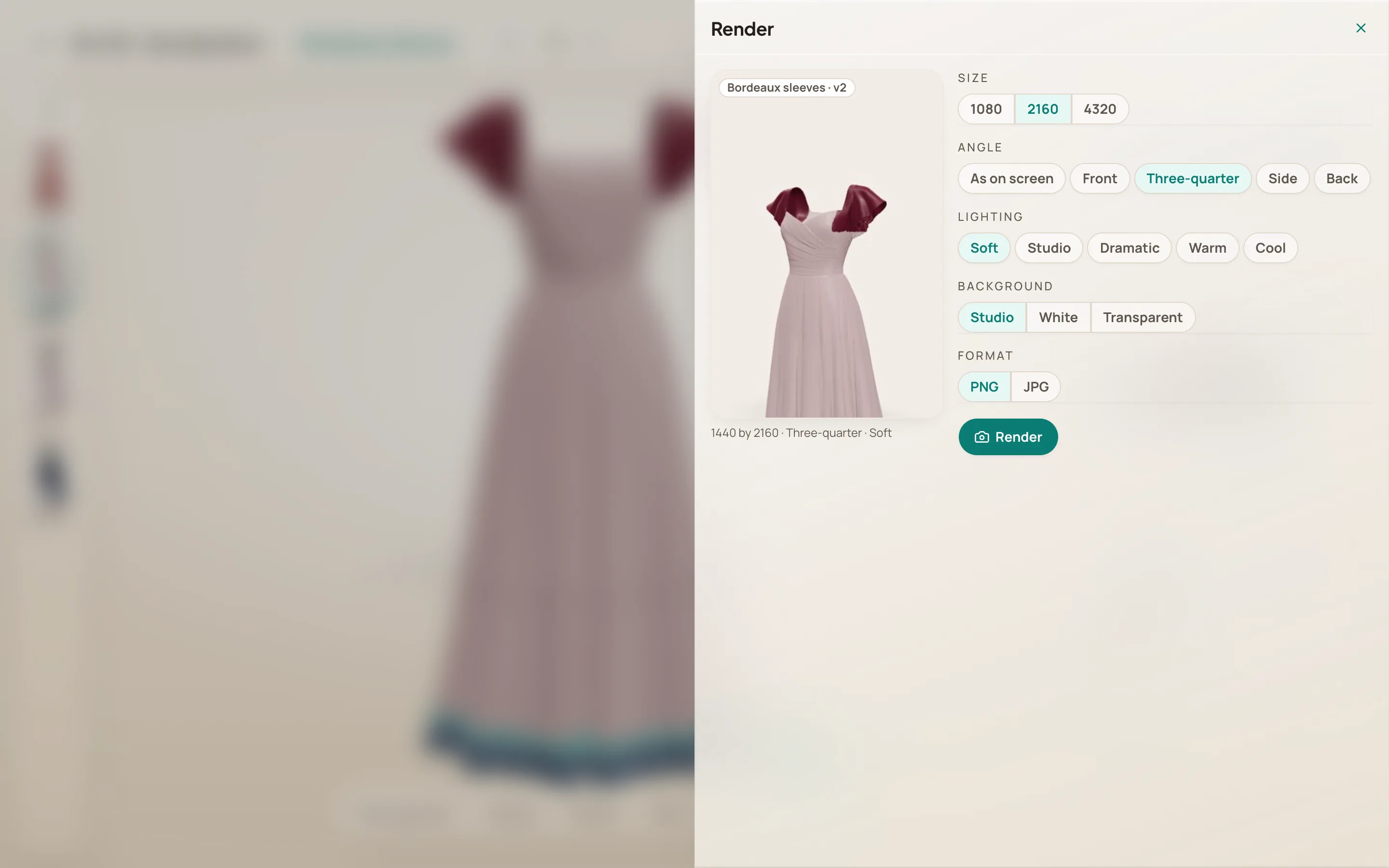
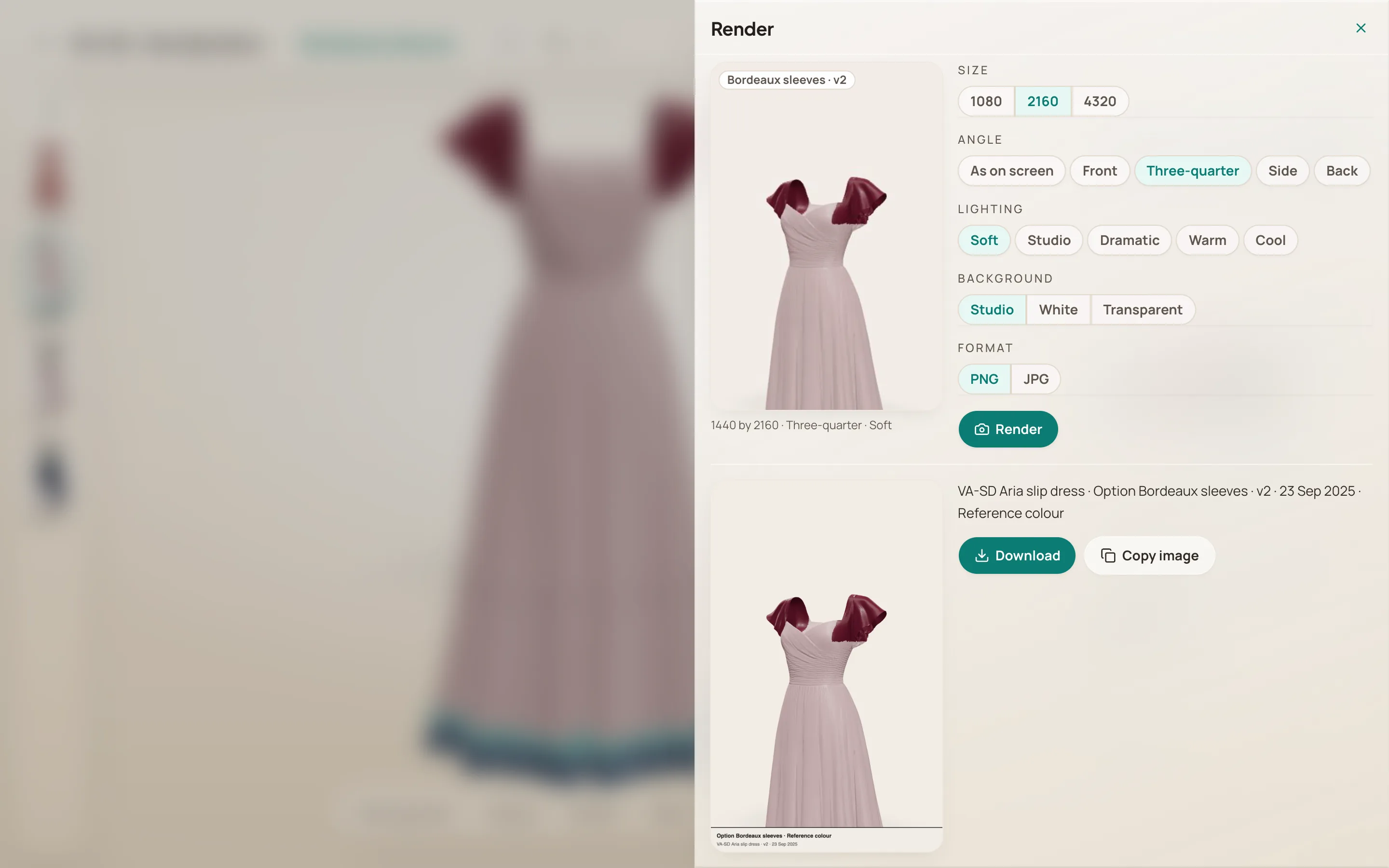
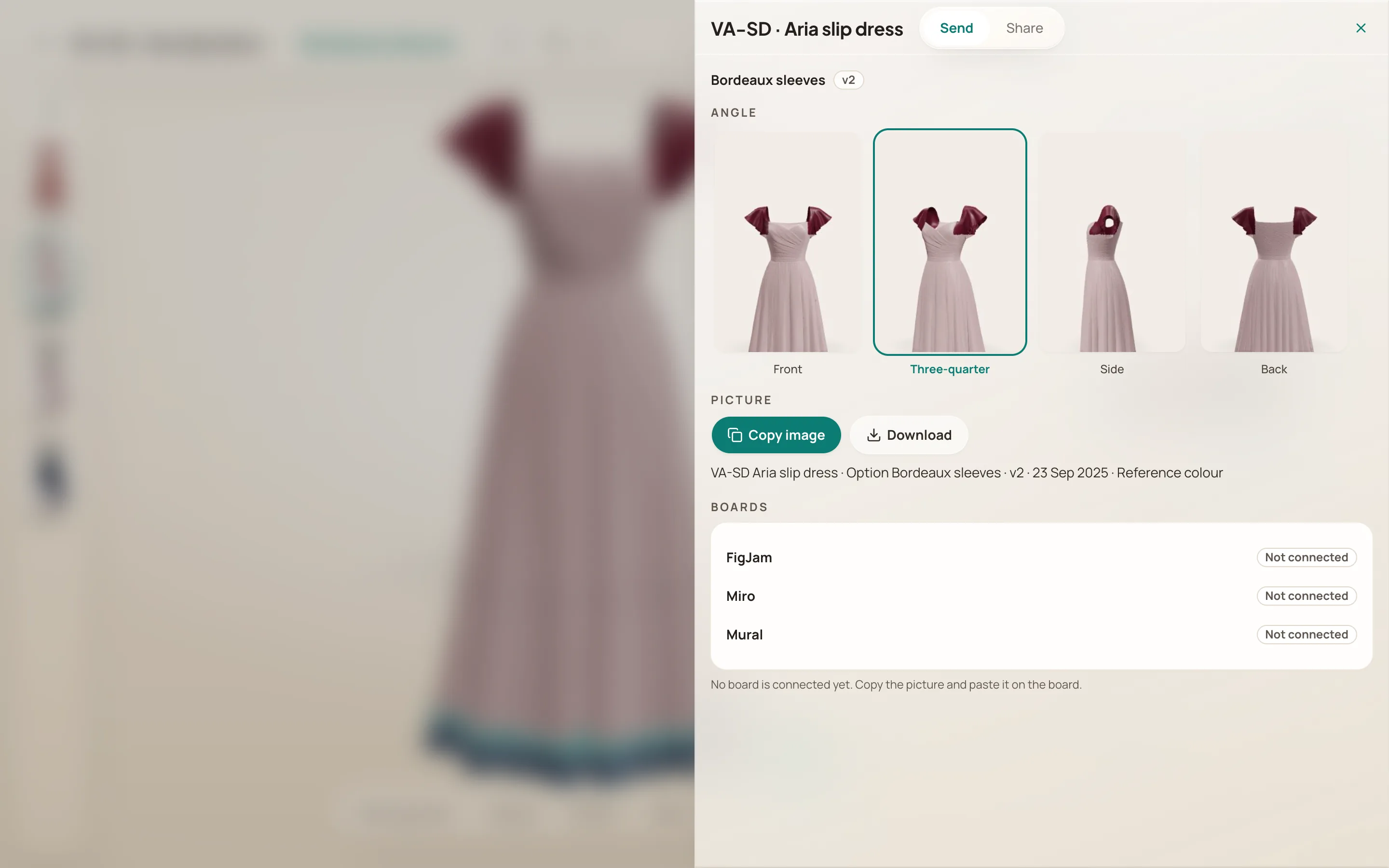
She sees it before she renders
the preview follows every choice of size, angle and light
The label on the picture, and as text
option, version, date and colour state, ready to paste
Copy or download, from her angle
two direct actions; no board pretends to be connected
Her team, with a role
can view or can comment, and who has access is in view
Need: a fabric, colour or finish that is not on the shelf.
When the material is not there, AI edit makes it from her words.
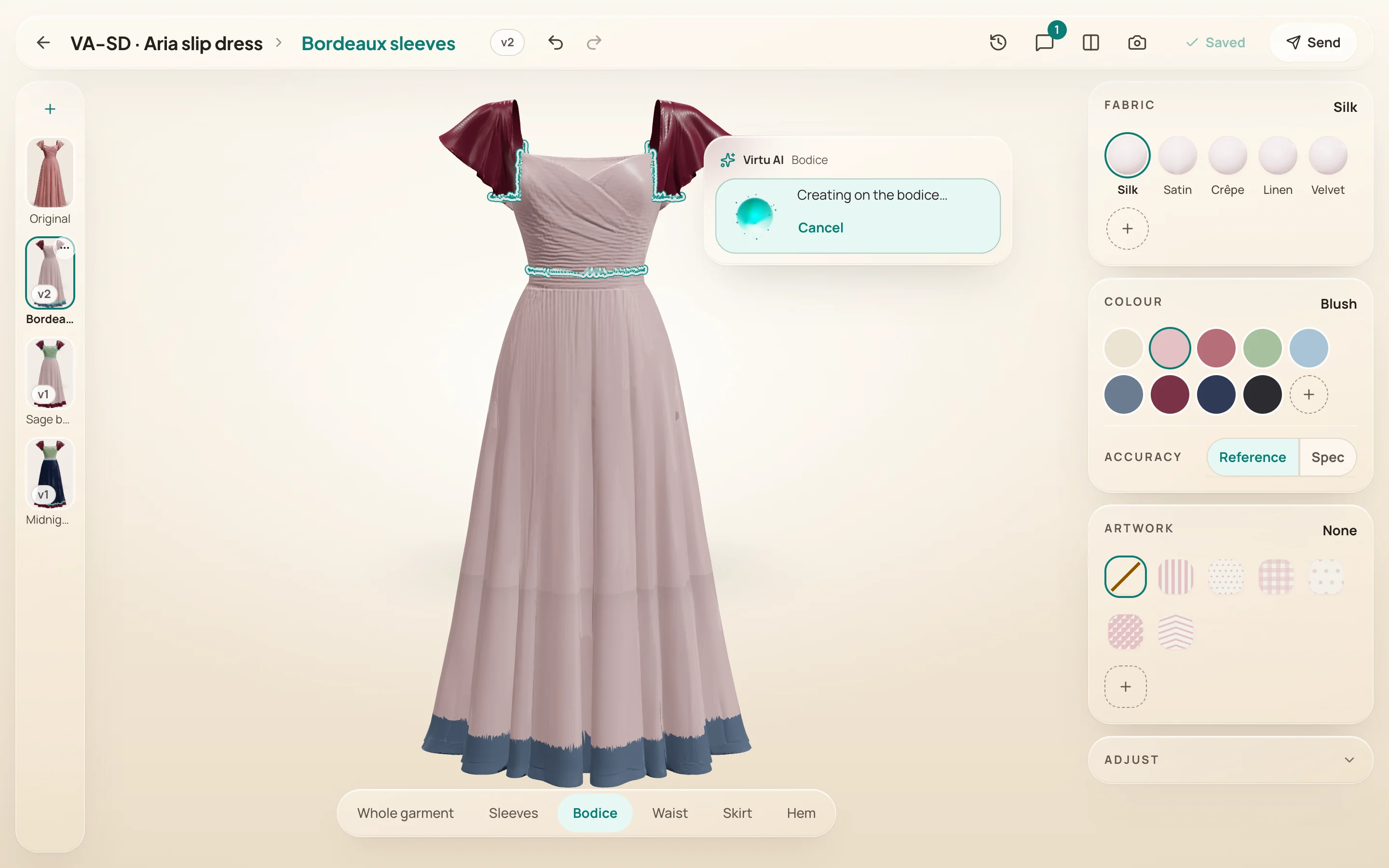
With the bodice selected she opens AI edit, types the fabric, colour, print or finish she wants, and the change lands on that part, to keep or undo. There is no model behind it yet; a stand-in answers, and every state says so.
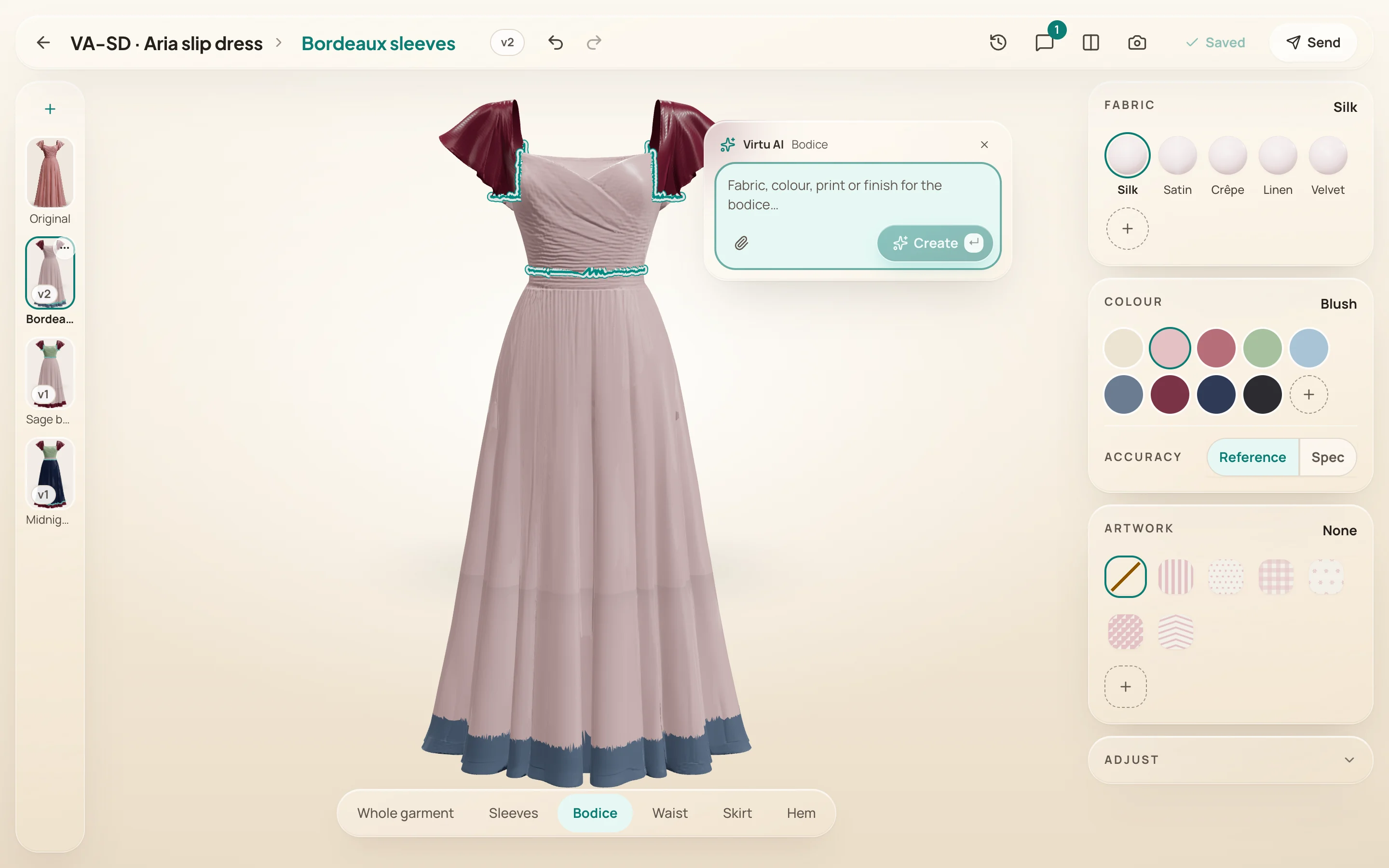
Ask on the part, in plain words
fabric, colour, print or finish, for the bodice she selected
Creating, with a way out
it names the part, and Cancel is right there
How much should this tool be able to do?
The room was mostly 3D specialists, who design for themselves. Every session brought another capability, reasonable alone; together, another configurator she cannot use. The other choice: keep it deliberately small, a handful of things she does, done well, and a plain note where it cannot do something yet.
I chose small, and held it by opening every session with Nadia and her problems before any screen. Cutting a good feature in front of whoever proposed it is uncomfortable. It was cut anyway.
So what changed for her?
My part ended at hand-off: MVP design, roadmap, this prototype. No usage numbers yet.
In the tests she changed the 3D garment herself and saw it as it would look, with fewer rounds of "not quite what I meant". Both rest on two calls of mine: a configurator, not more channels; a small tool, not a complete one.
What would I do first next time?
Name one decision owner and keep them in every key meeting. Once the design took shape, every voice pulled it a different way, and it took several sessions to return to the goal. One person answerable would have saved most of them.